


Download Version
- Chaty Pro v3.4.9
Chaty Pro Core Introduction
Product Overview
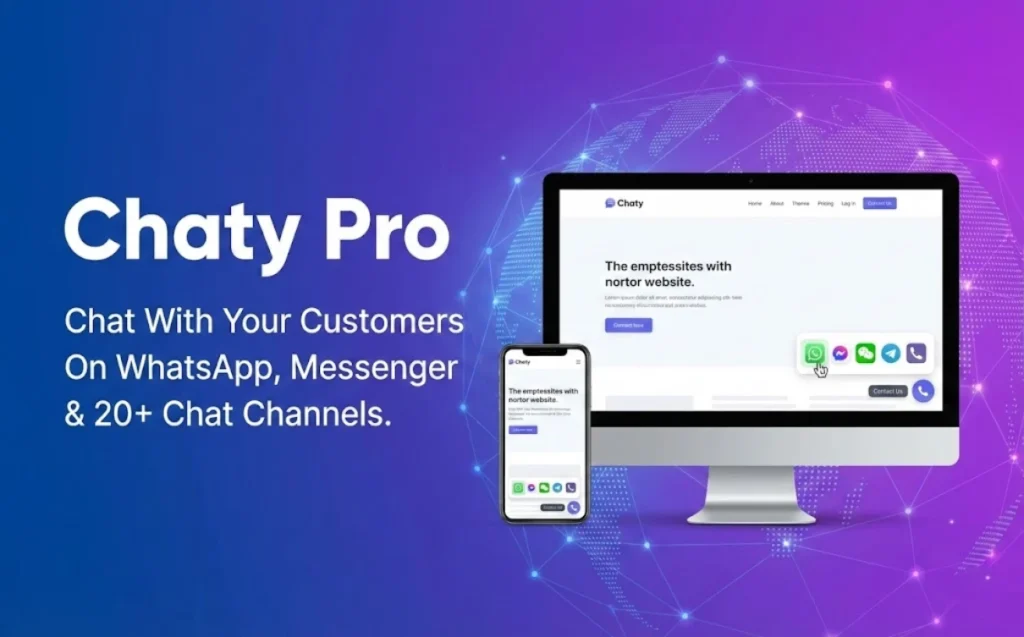
Chaty Pro is not positioned as “just another online chat box”, but rather as a way to take the communication channels you already use (e.g. WhatsApp/Messenger/Phone/Email/WeChat, etc.) and make them more accessible to you.Integration into a unified hover portalThe most important thing you can do is to allow visitors to contact you in the most familiar way possible and can continue the conversation after they leave the site.
In Pro, you can take the Contact Portal one step further and make it an actionable conversion component:
- Show different channels with different tactics for different pages/different sources/countries (more like fine-tuned placement and triage).
- Through dynamic pop-ups and merge tags, information such as page titles, URLs, and even WooCommerce product names/prices are brought into the welcome message, reducing the cost of back-and-forth confirmations and improving the quality of inquiries.
- Track and analyze clicks from each channel, and use the data to determine “which entrances are actually bringing in inquiries”.
Key Features
20+ Communication Channels Aggregation: WhatsApp, Messenger, Telegram, Line, WeChat, phone, SMS, email, map navigation and more optional.
Up to 25 channel displays(Assembled on demand), make the “Contact Portal” a unified group of conversion buttons.
Multi-customer service/multi-seat (Agents)Multiple customer service portals can be configured under the same channel to facilitate pre-sales/sales triage or multi-region team collaboration.
Dynamic Chat View Popup: You can set the popup text, color, and use {title}/{URL} variables; supports WooCommerce variables (product information) to make the welcome message more “relevant to the current page”.
Multi-component/multi-rule: Create different widgets for different pages and display different channels for mobile and desktop.
Refined Targeted Display: page targeting, business days/hours, date scheduling, country targeting, traffic source targeting (with search/social media/advertising, etc.).
Clue collection: Information can be collected through a contact form and leads can be emailed.
Data tracking: Supports Google Analytics click tracking and provides Widget Analytics.
Controlled appearance: Component colors/sizes/styles, channel icons and hover text, pixel-level placement, custom CSS, and more.
Target audience and usage scenarios
Cross-border e-commerce/independent website (WooCommerce): Use dynamic variables to display the “About this product inquiry portal” on the product page to minimize the need for customer service to repeatedly confirm product information.
Foreign trade enterprise website/inquiry website: Centralize WhatsApp, Messenger, email, phone calls into one portal and show more appropriate channels by country/source (e.g. different regions prefer different social software).
Local services (reservation/renovation/education/medical, etc.): Reduce missed calls by scheduling hours of operation and dates to make contact entrances more visible during “manned” hours.
Content stations/marketing landing pages: Targeted display by traffic source (e.g., ad visitors see specific customer service portals and tactics), and tracking conversion contributions by channel using GA.
Comparison of similar plugins
| Core functional items | Chaty Pro | Joinchat | Buttonizer | Social Chat (QuadLayers) |
|---|---|---|---|---|
| Multi-channel aggregation (WhatsApp/Messenger/WeChat/phone calls etc.) | ✅ | ❌ | ✅ | ❌ |
| Multi-customer service/multi-seat (Agents) | ✅ | ❌ | ❌ | ✅ |
| Dynamic popups + merge tags (with Woo product variables) | ✅ | ✅ | ❌ | ❌ |
| Multi-Component / Separate Configuration by Page (Multi-Widget / Page Rules) | ✅ | ✅ | ✅ | ✅ |
| Business Hours/Date Scheduling | ✅ | ❌ | ✅ | ✅ |
| Country Targeting / Traffic Source Targeting | ✅ | ❌ | ❌ | ❌ |
| Google Analytics Event/Click Tracking | ✅ | ✅ | ✅ | ❌ |
| Built-in contact form/lead collection | ✅ | ❌ | ✅ | ❌ |
Explanation of differences (quick selection)
- Strengths of Chaty ProIt is more complete in “Multi-channel aggregation + Multi-customer service + Dynamic pop-up window (including Woo variables) + Country/source targeting + Analytics tracking”, which is suitable to be a fine conversion portal.
- Joinchat's strengthsWhatsApp: More of a WhatsApp main scenario, dynamic variables and GA/GTM/Pixel events are finely tuned for “WhatsApp conversion-focused” sites.
- Buttonizer's strengths: More like a “universal hover button platform” with rich action/button types and strong time/page rules, suitable for unified management of multiple CTAs (chat, jump, form, etc.).
- Strengths of Social Chat (QuadLayers): Focuses on WhatsApp multi-customer service and chat box experience for sites with well-defined customer service teams that rely heavily on WhatsApp.
User Feedback Highlights
“The best alternative: I replaced the expensive pay-per-month online customer service system with Chaty. customers prefer to contact us directly on WhatsApp, and conversions have increased instead.”
“Extremely easy to set up: you don't need to know how to code, and you can set up the rules for displaying different pages in a few minutes. Especially like its Google Analytics tracking feature, which lets me know where customers are coming from.”
“Lightweight and doesn't slow down internet speeds: compared to load-heavy instant messaging scripts, Chaty is very lightweight and has little to no impact on website loading speeds.”
Suggestions for pairing with other plugins/themes
WooCommerce: It is highly recommended to use Chat View popup's Woo variable to output a more appropriate welcome message and inquiry guidance on product/category pages.
Google Analytics / GA4 (or GTM): Used to count the effect of clicks and sources of each channel, to help you determine “which entrance is the most effective to bring effective consulting”.
WPML Multilingual Site: Different portals and channel combinations can be displayed for different language versions according to URL/page rules (suitable for international website sub-region operation).
When you need real-time online customer serviceChaty can be used as a “unified portal” to launch Chatway, Tawk.to, Tidio, Crisp and other real-time chat products through scripting/integration, so that “multi-channel + on-site real-time chat” can co-exist.
Frequently Asked Questions (FAQ)
Q1: What is Chaty Pro? What problem can it solve?
Chaty Pro is a WordPress multi-channel contact/consultation portal plugin: centralize WhatsApp, Messenger, phone, email, WeChat, and other communication methods into a hover button, allowing visitors to quickly contact you with the channels they are used to, and supporting more detailed targeted display and statistical tracking to help improve the efficiency of the consultation volume and conversion.
Q2: What communication channels does Chaty support?
Supports WhatsApp/WhatsApp Business, Facebook Messenger, Telegram, Line, WeChat, Viber, SMS, phone one-touch dialing, Email, Google Maps, etc. with the ability to add custom link channels.
Q3: What is the maximum number of channels that can be displayed on a site?
Chaty offers a choice of up to 25 channels/buttons (which can be combined and displayed as desired).
Q4: What is the difference between Chaty Pro and regular Live Chat?
Chaty is more like “integrating external chat apps into a portal”: visitors can click and continue the conversation on WhatsApp/Messenger, etc. without having to stay on your website, whereas Live Chat usually requires visitors to stay on the page and wait for a reply. Chaty also supports evoking multiple Live Chat tools through JavaScript, realizing the coexistence of “Portal + Live Chat”.
Q5: Is it possible to display different channels/different button groups for different pages?
You can create multiple widgets and set different page rules for each of them. You can create multiple widgets and set different page rules for each widget; also note that if some pages are given to Widget A to display, you should usually exclude those pages from other widgets to avoid rule conflicts.
Q6:How to match the page orientation? Does it support WooCommerce?
Supports show or hide by homepage, specific URL, URL include/begin/end, WordPress pages/posts/categories/tags; also supports options like WooCommerce products and promotional items (requires WooCommerce installed).
Q7:Can I target display by “visit source/ad source”?
Can. Supports targeted display of certain channels/widgets by dimensions such as Direct, Social Networks, Search Engines, Google Ads or specific source URLs.
Q8:Can I target display by visitor's country/region?
Can. You can set the widget to show only to visitors from specific countries (or do regional triage for your business niche).
Q9:Can I set “Business Hours” and “Event Dates” to be displayed at regular intervals?
You can.
By day of week/time period: set a certain time range to be displayed on a certain day (optional time zone).
Scheduling by date: Set the start/end date and time in advance, suitable for event period, limited time customer service channels, etc.
Q10:Does it support multiple customer service/multiple agents (e.g. multiple WhatsApp numbers)?
Support. Multiple “agents” (e.g., two WhatsApp agents) can be configured under the same channel, and each agent can be configured with an avatar/color and other presentation information.
Q11: Is it possible to preset WhatsApp messages so that visitors take the default message with them as soon as they click on it?
Can. You can set up a preset message for WhatsApp that will automatically appear in the message box when a visitor clicks the WhatsApp icon.
Q12:Can the email channel automatically bring “Page Title/URL”, so that it is easy to recognize the source of the visitor's inquiry?
Email channels support pre-defined themes and support for {title} 与 {URL} This kind of merge tags: automatically grab the title and link of the page where the visitor sends the message, so that you can quickly locate “which page/product he is asking about”.
Q13:What is Chaty's “Chat View / Pop up” and does it work with WooCommerce?
Dynamic popups support the use of merge tags (e.g., page title, URL) and WooCommerce product attributes (e.g., product name, etc.) to generate “page-specific” welcome messages/tips, making inquiries more relevant to the content being viewed.
Q14: Is the built-in contact form supported? Where does the lead data reside? Can it be spam-proof?
Supports built-in Contact Form, which saves leads to the site's local database by default (available in the Chaty plugin settings); and can be configured to send leads to an email address for timely notification. The form also supports reCAPTCHA (v2/v3) to reduce spam submissions.
Q15: Can form leads be synchronized to email marketing tools? (e.g. Klaviyo)
Available. You can synchronize the email address and other information submitted on the Contact Form to Klaviyo and choose to send it to a specific list for subsequent marketing automation.
Q16:Does it support statistics? Can I see which channels are clicked the most?
Two types of statistics are supported:
GA4 Event Tracking: Turning on the switch allows you to see click events in the GA4 real-time report (provided the site has GA4 code installed).
Built-in Widget AnalyticsClick data, unique clicks, and click-through rates for each widget/channel can be viewed; you can also choose to turn off data collection or reset data.
Q17: I want to customize events with Google Tag Manager (GTM), is it possible?
Triggers and GA4 Event tags can be created via GTM with “link class” conditions; different channels correspond to different classes (e.g. WhatsApp, Phone, Email, etc.).
Q18:Can I add “Custom Link/Custom Button”, such as jumping to contact page or evoking other scripts?
Yes. Support for adding custom link / JavaScript channels: either to jump to any URL or to run custom JavaScript (e.g. to invoke a Live Chat).
Q19: Is it possible to use a button/script to turn Chaty on or off at a specific time?
Can. Supported by launch_chaty() / close_chaty() We have also given ideas for implementing Elementor buttons, such as using links or JavaScript to control opening/closing.
Q20: Why can't I see Chaty in my front office and what is the most common troubleshooting?
The most common reason is caching: you need to clear the cache plugin cache manually; if you are using Cloudflare, you may also need to run “Purge Everything” in Cloudflare to clear the cache and see the results.
Q21: Is it compatible with Elementor / Divi / Gutenberg? Does it support RTL?
Compatible with common themes and page builders (including Elementor, Divi, WPBakery, Gutenberg, WooCommerce, etc.). And support for RTL sites (e.g. Arabic, Hebrew).



