


Download Version
- CommandUI v1.8.0
Introduction to CommandUI
Product Overview
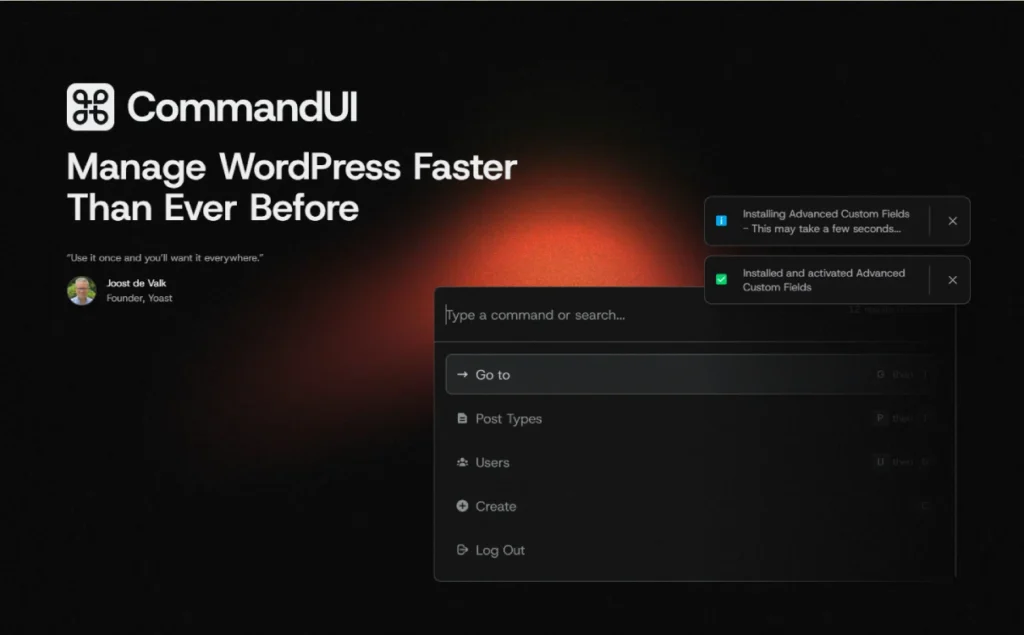
CommandUI is a program designed for WordPress Backend customized Keyboard Driver Command Panel Plug-inWith the shortcut keys (default ⌘/Ctrl + K or Shift×2), you can call up the high-performance command bar to search for site content, jump to edit pages, manage plug-ins, access settings, etc. in milliseconds. No mouse or front-end page opening is required to complete background operations, greatly improving efficiency. Suitable for Developers, webmasters, content editorial teams CommandUI supports deep integration with popular builders and plug-ins such as Elementor, Bricks, Beaver Builder, WS Form, etc. to optimize the collaboration process.
Key Features
- 🔍 Site-wide quick search: Search jumps are done in one column for posts, pages, custom Post Types, settings, menus, plugins and more!
- ⌨️ Keyboard Shortcuts: Supports ⌘/Ctrl+K, Double Shift, with G→A, P→T and other shortcut key combinations to quickly jump around.
- ⚡ Extremely fast performance response: millisecond response even in slow hosting environments, no need to wait for pages to load
- 🧩 Deep Integration Builder: Support Elementor, Bricks Builder, Beaver Builder, WS Form, wpDataTables, etc., seamless editing jumps!
- 📋 One click to copy link/ID: Improve citation efficiency by copying article permalinks or IDs directly from search results.
- 🛠️ Non-intrusive installation: Uploaded via WP backend plugin or installed by Composer, no additional configuration required, works out of the box!
Target audience and usage scenarios
- Developers & Technical Team: HF background operation, debugging, configuration of plug-ins or themes to reduce mouse switching operations
- Webmaster/Operation and Maintenance: Maintain multiple WordPress sites, batch switch to manage sites more efficiently.
- Content Editorial Team: Quickly jump to article editing, draft management, copying links, etc., to improve collaboration efficiency
- Using the Page Builder User: Combine Elementor, Bricks, and Beaver Builder to seamlessly switch between editor interfaces.
- Plugin/Form/Datasheet Manager: WS Form, wpDataTables Users can quickly locate and manage forms and tables through the command panel.
Comparison of similar plugins
| Functions | Current Products CommandUI | Turbo Admin | WP Core Command Panel |
|---|---|---|---|
| Site-wide Content Search Jump | ✅ | ✅ | ❌ (only supported by some editors) |
| Shortcut trigger (⌘/Ctrl+K) | ✅ | ✅ | ✅ (Gutenberg only) |
| Builder integration (Elementor/Bricks/Beaver) | ✅ | ❌ | ❌ |
| Copy Link/ID Function | ✅ | ❌ | ❌ |
| Backend plugin management commands | ✅ | ✅ | ❌ |
| Front-end / Back-end operation | ✅ | Front-end via extension or browser plugin | Limit Editor |
A description of the unique features of the current product:
- Deep integration with Elementor, Bricks, and Beaver Builder, with the ability to trigger command bars from inside the builder
- Supports copying article permalink and ID, no need to switch pages to save time.
Description of features specific to alternatives:
- Turbo Admin is available as a browser extension for cross-site use, but does not support deep integration with the builder.
- WordPress Core command panel is built into the Gutenberg editor, suitable for basic editing scenarios, does not support global navigation in the background.
User Feedback Highlights
- “Within an hour of using CommandUI, I purchased an agency license and plan to install it on every site I create in the future. This is one of the most impactful improvements I've made to my workflow in the last decade and highly recommended to all developers and WordPress administrators. 10/10.”- Reddit user richorrichard
- “Just try it for two minutes and you'll want to be in thepossesssite to install it.” - Joost de Valk (Founder of Yoast)
- “I can do everything without a mouse.” - James Le Page (WPAI CEO)
Suggestions for pairing with other plugins/themes
- Page builder plugin: Elementor, Bricks Builder, Beaver Builder: support for deep command integration, suitable for common builder users
- Forms and Form Plugins: WS Form, wpDataTables: support fast jump to form/table editing page from command bar
- SEO & Caching Plugins: Yoast SEO, LS Cache: you can quickly jump to the configuration settings page via the command bar in the backend
- development tool: Similar to the command panel of IDEs like PhpStorm, this is a great addition to a developer's efficient workflow!



