


Download Version
- FileBird Pro v6.4.8
Introduction to FileBird Pro
Product Overview
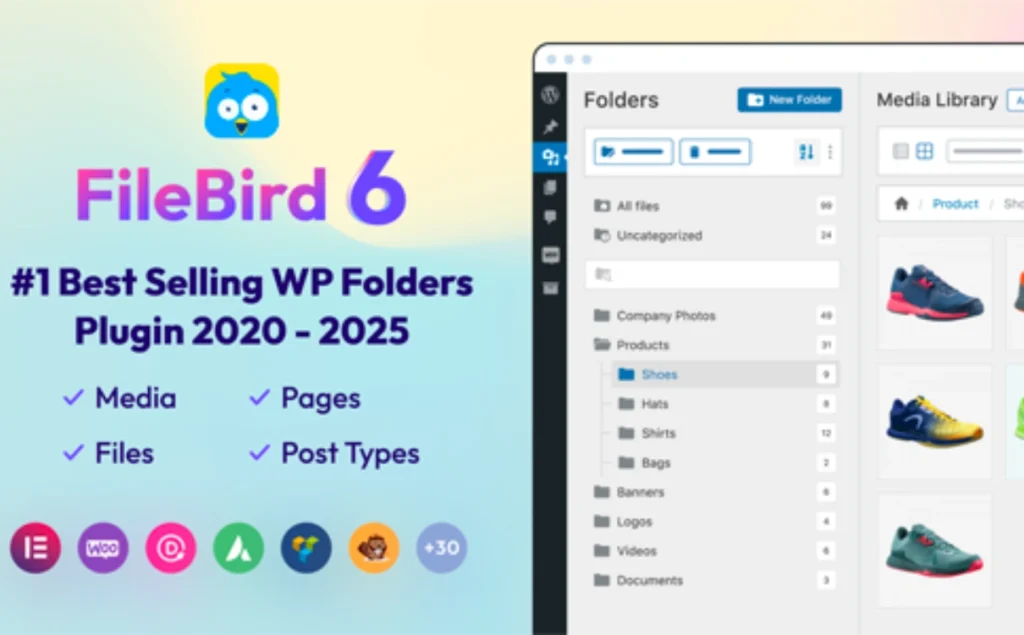
FileBird is a media library management plugin for WordPress, designed to solve the problem that the default media library is confusing and difficult to find. By providing a folder structure, users can easily categorize and manage a large number of media files. It supports drag-and-drop upload, batch operation, right-click menu, etc. Pro version further enhances the functions of folder theme, file export, user role management, etc. to meet the diversified needs of use.
Key Features
- Drag-and-drop file management: Intuitive folder structure with drag-and-drop support for uploading, moving, and deleting files.
- batch operation: Batch select, move and delete files to improve management efficiency.
- Customized Sorting: Sort files by file name, date, size, and more.
- Folder Themes: The Pro version offers a variety of folder themes, such as Windows 11, Dropbox styles.
- Folder Export: Export entire folders and their sub-files as ZIP files for easy backup and migration.
- User Role Management: Assign folder access rights to different users and support multi-user collaboration.
- Compatible with page builder: Seamless integration with major page builders such as Gutenberg, Elementor, etc.
- SEO optimization: Improve search engine recognition of media files through clear file structure.
Target audience and usage scenarios
FileBird is suitable for the following users and scenarios:
- webmaster: The need to efficiently manage large numbers of media files.
- Multi-User Collaborative Teams: Folder access needs to be assigned to different users.
- E-commerce website: such as WooCommerce stores, which need to manage a large number of product images.
- Multilingual website: If you have a multilingual website using WPML, you will need to categorize the media files in different languages.
- content creator: e.g. photographers, designers, etc., need to organize and present a large body of work.
Comparison of similar plugins
| Plug-in Name | Advantageous features | FileBird Advantages |
|---|---|---|
| Real Media Library | Support for file shortcuts, automatic sorting | More intuitive folder structure, right-click menu operation |
| WP Media Folder | Support for file system synchronization | Richer folder themes, export function |
| HappyFiles | Simple and easy to use interface | Enhanced folder management, compatibility with page builders |
User Feedback Highlights
- “FileBird is the best WordPress media management plugin I've ever used, easy to use and powerful.” - From user Shawk's review.
- “FileBird has saved me a lot of time and greatly improved productivity when managing thousands of images.” - Feedback from WooCommerce users.
- “The support team was responsive, resolved issues in a timely manner, and the experience of using the service was excellent.” - Review from user milawi.
Matching Suggestions
FileBird is compatible with the following plugins and is recommended to be used with them:
- Page Builder: Elementor, WPBakery, Divi, Beaver Builder, etc. for easy browsing and insertion of media files directly in the page editor.
- e-commerce plugin: WooCommerce for easy management of product images and downloadable files.
- Multi-language plug-ins: WPML, Polylang, for media file classification management for multilingual websites.
- Document Display Plugin: Such as FileBird Document Library, which displays document resources in a folder.



