Download Version
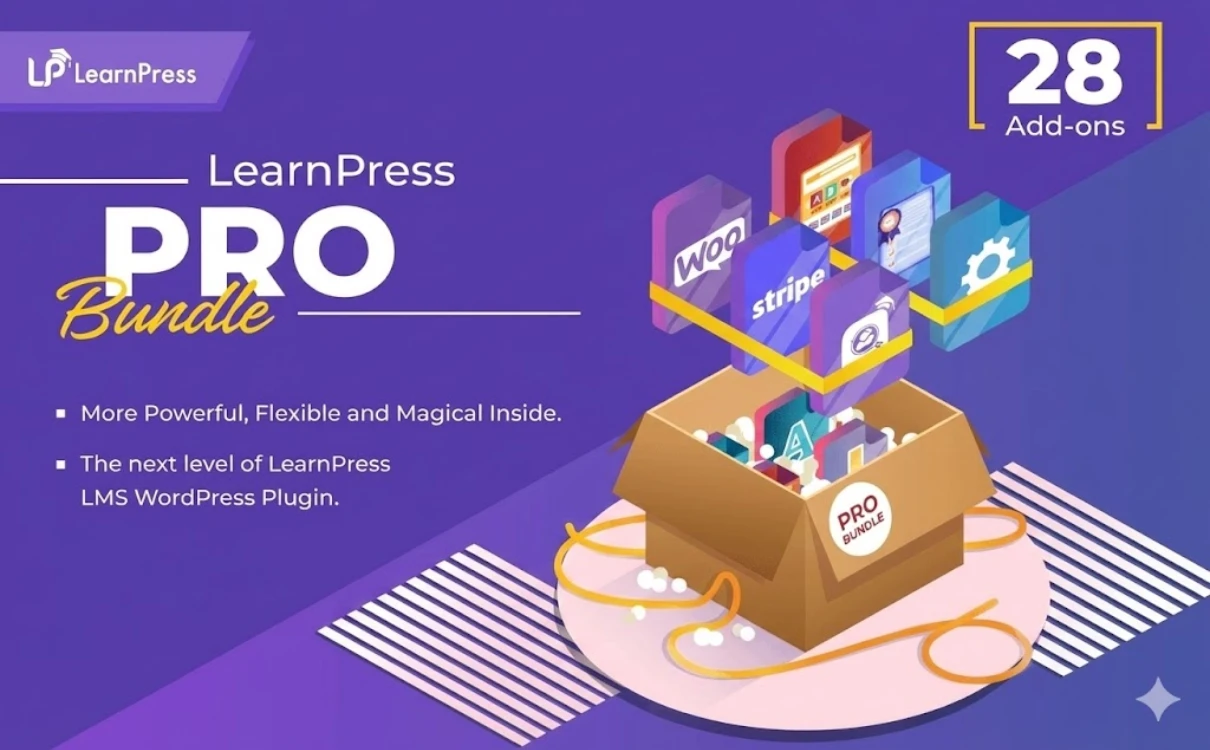
- LearnPress PRO Bundle v4.2.8.4 + All Addons Pack
LearnPress Pro Core Introduction
Product Overview
If you want to store “course content, user data, transactions and brand equity” in your own site, LearnPress has the value of structuring the course (chapters/lessons), quantifying the learning process (progress and grades), and productizing the assessment tools (multi-question quizzes, assignment submissions and corrections, etc.), in a way that is closer to a WordPress workflow. productization (multi-question quizzes, homework submission and correction), and then modularization of the commercialization path (payment methods, subscriptions/offers, tutor collaboration and sharing, multi-language and multi-currency, etc.). For those who want to operate the course system in the long run, it is not only a tool for “publishing courses”, but also the underlying system that connects the delivery of teaching with the conversion of payment.
Key Features
Structured course construction: Organize content in a “course-chapter-lesson” fashion to reduce maintenance and reuse costs.
More controlled testing and gradingThe test strategy of random sampling and negative/deductive scoring is supported, which makes the “practice” and “assessment” closer to the real teaching scenarios.
Assignment submission and attachmentsSupport for uploading and managing assignments, suitable for boot camps/skills courses that require “output-based assignments”.
Content Drip and Learning ProgressionUnlock content progressively by time or rule, with progress tracking to improve completion rates and renewal space.
Certificates and incentives:: Extensible certificate templates and issuance logic to turn “course completion” into a demonstrable outcome.
Lecturer's Workbench & Front Desk Editing: Provide instructor dashboard/frontend editing capabilities, suitable for multi-instructor collaboration and content team division of labor.
More flexible ways to liquidate courses: Supports collection via PayPal, Stripe, WooCommerce and other paths, and can be extended with subscriptions, coupons, multi-currency, and other means of operation.
Multi-language and cluster capabilities: Extensible WPML integration and support for WordPress Multisite for multi-language/multi-site deployments.
Migration and data management: Supports import/export of course data for easy backup, migration and environment switching.
Offline/blended learning: Provide the ability to offer offline courses/offline payments and other directions, suitable for organizations that combine online + offline.
Target audience and usage scenarios
Paying for knowledge and content creators: The need for an integrated “course system + paid conversions + offers/subscriptions”.
Corporate training/internal training platform: More concerned with “progress, quizzes, assignments, certificates” and want data to stay on the intranet/own domain.
Educational institutions/online schools: Multi-instructor, multi-course, multi-language, multi-currency, with an emphasis on scalability and long-term operations.
Boot camps/hands-on classes: Homework submission and correction, milestone quizzes, and content drip feeds are needed to improve completion rates.
Online and offline blended learning: Combine offline courses with offline collection/enrollment processes to reduce system fragmentation.
Comparison of similar plugins
| Core functional items | LearnPress | LearnDash | LifterLMS | Tutor LMS |
|---|---|---|---|---|
| Course construction/class structure | ✅ | ✅ | ✅ | ✅ |
| Test ability (question type/timing, etc.) | ✅ | ✅ | ✅ | ✅ |
| Assignments (submission/management) | ✅ | ✅ | ✅ | ✅ |
| Content Drip (Drip) | ✅ | ✅ | ✅ | ✅ |
| Certificates/badges | ✅ | ✅ | ✅ | ✅ |
| Built-in collection (not dependent on e-commerce plugin) | ✅ | ✅ | ✅ | ✅ |
| Also interfaces with WooCommerce | ✅ | ✅ | ❌ | ✅ |
| Membership/Subscription Sales | ✅ | ✅ | ✅ | ✅ |
| Multi-instructor/instructor collaboration | ✅ | ✅ | ✅ | ✅ |
| Multi-currency support | ✅ | ❌ | ✅ | ❌ |
| Page builder deep adaptation (with Elementor components/extensions) | ❌ | ❌ | ✅ | ✅ |
| Offline/blended learning support | ✅ | ✅ | ✅ | ❌ |
LearnPress More salient points
- There is a clear combination of extension modules in the direction of “multi-currency + course share/commission + WPML multi-language + tutor front-end editing + course import/export”, which is suitable for internationalization and multi-tutor platform operation.
Points where alternatives are more prominent (selection tips)
- LearnDashThe course is a complete loop that emphasizes “advanced quizzes, reports, learning paths/pre-requisites, built-in e-commerce/subscriptions” and supports “course merchandising + instructor sales and commissions” in conjunction with WooCommerce.
- LifterLMS: Clearly emphasized on the plugin page with Elementor/Beaver Builder/Divi It's also compatible with page builders such as Stripe/PayPal, membership subscriptions and reporting analytics, and has built-in “commercialization” capabilities.
- Tutor LMS: Emphasize Native e-commerce, built-in subscriptions, commission sharing, certificate drag-and-drop editorand provides specialized Elementor Addons (component/templated builds are easier).
Note: The ✅/❌ in the table is based on whether the capability is explicitly provided in the public description; in practice, different products often achieve the same kind of goal through extension/combination.
User Feedback Highlights
“LearnPress is the most flexible LMS plugin I've ever used, it allowed me to publish my first paid course in half a day with very clear backend administration.” -- Renowned Online Career Coach
“LearnPress is the way to go for users who have a limited budget but want to build a professional online school. It's scalable enough to support sites growing from a few students to tens of thousands.” -- Senior Developer, WordPress Community
Suggestions for pairing with other plugins/themes
WooCommerce: Manage courses as merchandise (orders, offers, combo sales, etc.) for course stations that need a more complete e-commerce experience.
Stripe / PayPal: Scenarios favoring “direct collection/shorter conversion links” can reduce the shopping cart step.
Paid Memberships ProDoing “membership subscription/tiering benefits (classes, materials, community, playback)” is suitable for long-term subscription-based business.
WPML: Multilingual courses and site internationalization (course content, interface language, marketing pages).
BuddyPress (and similar community components): Put “learning” and “discussion/community” on the same site to improve retention and repurchase.
Any mainstream theme/page builderMarketing landing pages are recommended to use page builders for conversion-based structures (course selling points, FAQs, instructor introductions, case studies, purchase guidance), while LearnPress itself is more oriented towards teaching and learning process hosting.
Frequently Asked Questions (FAQ)
Q1: What is LearnPress? What type of website is it suitable for?
A: LearnPress is a set of LMS (Online Education System) plugins for WordPress to create course catalogs (lessons/quizzes), manage student learning and progress, and support scenarios such as online course sales and offline courses/training.
Q2: What server/environment requirements are needed to run LearnPress?
A: Common requirements are WordPress 6.0+, PHP 7.0+, MySQL 5.6+, and web servers can use Apache or Nginx.
Q3: Is LearnPress compatible with the theme I'm using?
A: LearnPress explicitly states in the plugin description that it can be used with the Any WordPress ThemeUse it in conjunction; if you wish to use block editor related capabilities, it is recommended to choose a theme with better support for Gutenberg/FSE.
Q4: Is WordPress Multisite supported?
A: Support. The plugin page clearly states that LearnPress supports WordPress Multisite for building a multisite LMS.
Q5: How do I create a course and syllabus in LearnPress?
A: The typical process is to create a new course in the background, then organize the course structure (chapters/lessons/quizzes) in the course, and publish and maintain the course; the plugin page also mentions that you can create a course system containing lessons & quizzes.
Q6:What types of questions does Quiz support? Can we do question reuse and timing?
A: The official website features page mentions support for multiple quiz formats (e.g., multiple choice, judgment, fill-in-the-blank, etc.), and provides the ability to reuse question banks, quiz history and progress review, and “time-limited quizzes”.
Q7: Can I assign homework (Assignments) and have it corrected by the teacher?
A: This can be accomplished through the Assignments direction capability. Assignments can be added to a course's curriculum in the backend (the documentation also demonstrates how to create a “New Assignment” in a course).
Q8: Is it possible to do “content drip” (unlock course content on a daily/scheduled basis)?
A: Yes, LearnPress offers Content-Drip related extensions that can be enabled in the course settings to select different drip types and lock/unlock control over course entries.
Q9:Does it support course certificates (Certificates)? Can certificates be customized?
A: To support certificate capabilities, LearnPress' Certificates integration/extension provides certificate templates and drag-and-drop certificate building and other directional features for issuing certificates upon course completion.
Q10:What payment methods does LearnPress support? Can it connect to Stripe / WooCommerce?
A: LearnPress comes with PayPal built-in as one of the payment methods by default; it can also be extended with more gateways and checkout forms by integrating with WooCommerce or enabling payment extensions like Stripe.
Q11:Can I jump the “signup/buy” to a self-built landing page or external sales funnel?
A: The official website features page mentions support for “Seamless External Checkout”, which directs learners from the default checkout page to your customized sales funnel, landing page, or external link to simplify the enrollment path.
Q12: Is it possible to do “trial/open class” to gain customers?
A: The official website function page mentions that lesson previews and open-access courses can be provided as a marketing strategy to help users experience before conversion.
Q13:Does it support “Access Control/Restricted Content/Manage Course Selection List”?
A: The official web page shows the management capabilities such as “control access and restrict content” and “manage student selection/suspension/removal”, which are used to manage learning privileges and enrollment status in a more detailed way.
Q14: Can I do a membership subscription (monthly/yearly) to unlock the course library?
A: This can be accomplished through the integration route with the membership system.LearnPress's documentation directory lists directions for integrating with Paid Memberships Pro for tying course access to membership levels/subscription benefits.
Q15: Is it possible to have multiple tutors/co-tutors? Can I do a split/commission?
A: It can be realized through relevant extensions: the document catalog contains Co-Instructors (multi-instructor) and Commission (commission/share) direction capabilities, suitable for multi-author collaboration or platform investment mode.
Q16: Can I migrate courses from one station to another? Does it support import/export?
A: Import/Export support. The plugin page mentions that courses can be exported/imported; and the description of the Import/Export extension mentions that courses can be exported from the Import/Export interface of LearnPress, and that the export file can be XML.
Q17: Can you do offline classes/workshops (location, schedule, start date)?
A: Yes. The plugin page clearly states that there is offline course functionality; when offline courses are enabled, course detail page fields (such as location, schedule, start date, etc.) will be provided, while some of the purely online features will be disabled by default.
Q18:Can I use LearnPress for multilingual sites (e.g. English + Spanish)?
A: It is possible to go with the WPML integration, which states that LearnPress pages (course archives, single courses, user profiles, etc.) can be translated to support a multilingual experience.