


Download Version
- Nexter Blocks Pro v4.5.4
Notice: The Plus Blocks for Gutenberg has evolved into Nexter Blocks. If you see the old name, that’s just legacy information.
Nexter Blocks Intro
Product Overview
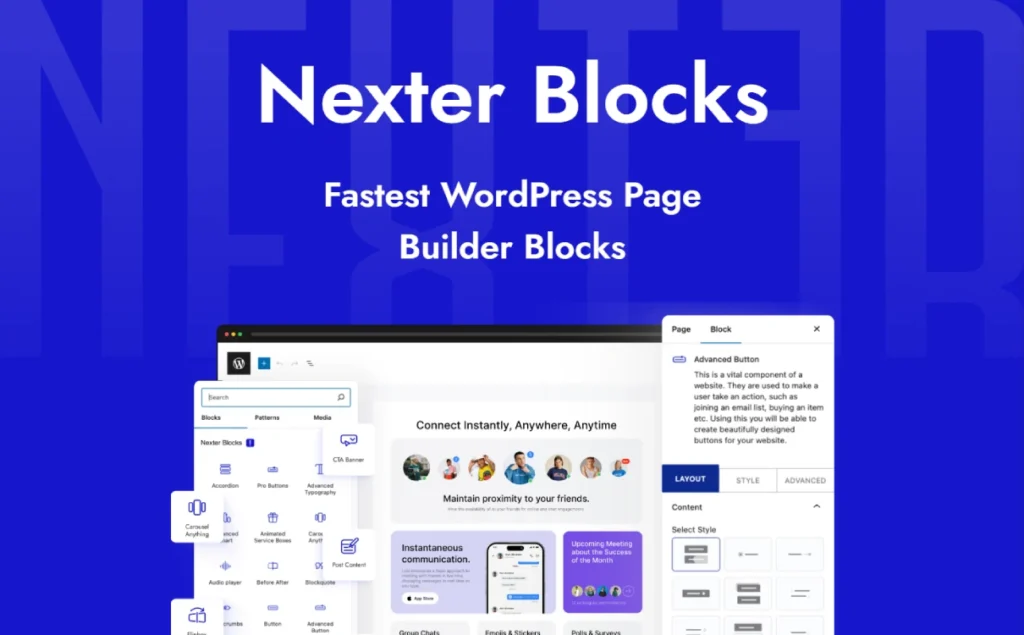
Nexter Blocks is a full-featured WordPress Gutenberg enhancement plugin that elevates the default block editor to a completely new, no-code website building platform. Its core mission is to address three major challenges faced by modern WordPress users: limited functionality, bloated plugins, and performance bottlenecks. For users who want to create complex layouts and rich interactive effects, the native WordPress editor often falls short; while many feature-rich page builders on the market often come at the cost of slower website loading speeds. Nexter Blocks provides a vast library of over 90 advanced blocks, integrating a theme builder, pop-up tools, dynamic content support, and dozens of useful features, allowing you to complete all your design and development work in a unified, lightweight environment.
This plugin is designed for a wide range of users, including those who prioritize efficiency.Website agencyNeed to quickly build high-conversion pagesMarketing personnelThose who wish to enhance the visual appeal of their e-commerce storesMerchantsAnd those who yearn to break free from technological constraints and focus on content creationBloggers and beginnersIt can effectively solve the following problems:
- Guarantee ultimate performanceBuilt on pure native JavaScript (Vanilla JS), completely independent of jQuery, and using intelligent resource loading technology to ensure your website has lightning-fast loading speeds and excellent core web metrics (Core Web Vitals).
- Replace the bloated plugin stackBy replacing multiple independent plugins (such as pop-ups, code snippets, social sharing, maintenance modes, etc.) with built-in functions, it simplifies management, reduces conflicts, and improves security.
- Breaking design limitations: Utilize advanced blocks (such as Lottie animations, 3D model viewers, and dynamic charts) and powerful layout tools to achieve creative designs that are impossible with traditional editors.
Key Features
- 90+ Gutenberg Block RepositoryContainers, lists/grids, media and galleries, buttons and forms, breadcrumbs, etc., with high coverage to meet the needs of mainstream page building.
- 1000+ ready-to-use templatesQuickly select page/block templates to improve building efficiency.
- Creative motion effect componentsFeatures include Spline 3D, Lottie triggering, scrolling sequence frames, multi-page parallax, dark mode switching, and customizable mouse cursors, enhancing immersion and interactivity.
- ExtrasImproved site-level capabilities include conditional display rules, scrolling animations, global options, same height, hover animations, white labels, etc.
- Content/E-commerce ListPost Listing (Free/Value-Added) and Product Listing (Professional Edition) make it easy to output collections of articles and products.
- Theme CollaborationIt integrates with Nexter Theme, enabling smoother style control and site-level customization.
Target audience and usage scenarios
- Website agencies and independent developers:useWhitelabeling feature Provide clients with back-end solutions featuring their own brand. ThroughCross-domain copy and paste style和Global StylesThe functionality allows for design reuse across multiple client projects, significantly improving development efficiency and brand consistency.
- E-commerce website (WooCommerce merchant) Design eye-catching product detail pages, custom store layouts, and high-converting marketing landing pages. Utilize these techniques flexibly.Pricing table, countdown, customer reviews和Call to Action (CTA) These features effectively enhance user trust and sales. The upcoming full WooCommerce builder will provide even deeper store customization capabilities.
- Bloggers and content creators:passTable of Contents, Advanced Article Grid, Interactive Timeline和Comparison sliderThese sections make your articles more readable and engaging. Leverage dynamic content features to easily create beautiful and powerful custom category and tag archive pages.
- Corporate and Marketing TeamQuickly build professional company websites and high-performing marketing campaign landing pages. Use integrated...Form BuilderCapture sales leads and use the built-in... GA4 and Facebook Pixel incident trackingIt provides functionality to accurately measure the effectiveness of marketing campaigns without relying on additional code or plugins.
Comparison of similar plugins
In the Gutenberg block plugin market, users often face a choice between "comprehensive functionality" and "ultimate performance." To help you make an informed decision, we compare Nexter Blocks with two representative competitors—the feature-rich Spectra and the performance-driven GenerateBlocks.
| Core Functions/Capabilities | Nexter Blocks | Spectra | GenerateBlocks |
| Total number of available blocks | ✅ (90+) | ✅ (30+) | ❌ (6 core blocks) |
| Integrated theme builder (header/footer) | ✅ | ❌ | ❌ |
| Mega Menu Builder | ✅ | ❌ | ❌ |
| Built-in Popup Builder | ✅ | ✅ | ❌ |
| Dynamic content and loop builder | ✅ | ✅ | ✅ |
| Performance architecture (zero jQuery dependency) | ✅ | ❌ | ✅ |
| Rich social media information stream blocks | ✅ | ✅ | ❌ |
| Advanced form builder/styler | ✅ | ✅ | ❌ |
| Unique creative blocks (Lottie, 3D, etc.) | ✅ | ✅ | ❌ |
| All-in-one utility toolkit | ✅ | ❌ | ❌ |
Comparative analysis
- Nexter Blocks' unique advantage: breaking down the boundaries between "functionality" and "performance". The comparison table clearly reveals Nexter Blocks' core value proposition: it successfully integrates a vast ecosystem of features with a high-performance architecture.
- A truly "integrated" ecosystemThis is Nexter Blocks' most disruptive feature. While Spectra offers a rich block library and GenerateBlocks guarantees ultimate performance, only Nexter Blocks provides both within a single plugin.Integrated theme builder and super menu builderAnd a hugeutility kitThis means users can save the cost of purchasing multiple separate premium plugins and fundamentally simplify their website's technology stack, reducing maintenance burdens and potential compatibility issues.
- Unparalleled block diversityWith over 90 blocks, Nexter Blocks offers far more design freedom than Spectra (approximately 30+) and GenerateBlocks (only 6 core blocks). This is a decisive advantage for designers and developers who pursue unique designs and do not want to be limited by tools.
- The unique features and positioning of alternatives
- Ecosystem synergy of SpectraSpectra's main advantage lies in its deep integration with the popular Astra theme ecosystem and its developing AI-assisted design features. It excels in its native environment, providing Astra users with a seamless website building experience.
- The minimalist philosophy of GenerateBlocksGenerateBlocks is tailor-made for performance purists and developers familiar with CSS. It employs an "atomic" design philosophy, providing only a few highly flexible blocks to encourage users to build from scratch. This approach guarantees extreme lightweightness but sacrifices out-of-the-box convenience and breadth of functionality.
User Feedback Highlights
- “"One plugin replaces twenty"” Users generally praise Nexter Blocks' powerful integration capabilities. Many users have reported that after installation, they were able to uninstall 10 to 20 other small plugins, which greatly simplified the website backend and reduced the complexity of maintenance and security risks.
- “Feature-rich yet lightning-fast” Despite its massive feature set, users were impressed by its exceptional performance and lightweight design. A wealth of real-world feedback validated the effectiveness of its high-performance architecture, demonstrating that rich functionality and website speed can coexist.
Suggestions for pairing with other plugins/themes
Nexter Blocks is developed in accordance with WordPress standards and is designed to coexist harmoniously with the vast ecosystem, providing you with maximum flexibility.
- Theme compatibilityThis plugin is designed to enhance the core Gutenberg editor, and therefore is highly compatible with the vast majority of modern themes that adhere to WordPress coding standards.
- E-commerce:and WooCommerce Fully compatible. You can use Nexter Blocks' rich blocks to design highly customized product pages and store layouts to enhance the shopping experience.
- Dynamic data and custom fieldsPerfect integration Advanced Custom Fields (ACF), Toolset, and PodsYou can easily display the custom data created by these plugins on the front end of your website using Nexter Blocks' dynamic content feature.
- Marketing AutomationBuilt-in pair Mailchimp With its support, you can easily create email subscription forms and seamlessly integrate them with your marketing campaigns.
- Multilingual website:support WPML And other mainstream translation plugins, helping you easily build multilingual websites for users worldwide.
Frequently Asked Questions (FAQ)
1. What are Nexter Blocks? What can they do?
Nexter Blocks is a page building plugin based on the WordPress block editor (Gutenberg), providing... 90+ blocks与 1000+ Pre-set TemplatesIt covers content display, navigation, forms, pop-ups, Mega Menus, dynamic content, and more, suitable for various scenarios from blogs and corporate websites to e-commerce and landing pages. High-quality page building can be achieved without writing code.
2. Is it necessary to use it with Nexter Theme?
Not required. Nexter Blocks is compatible with mainstream themes (Astra, Kadence, Blocksy, GeneratePress, Neve, etc.); and... Nexter Theme Combining these elements results in a more consistent style and performance experience.
3. Do I need to install the "Gutenberg" plugin separately?
No. Gutenberg is built into the WordPress core, so unless you're testing experimental features, you generally don't need to install it separately.
4. How to install and enable blocks?
Access the site backend sequentially. Plugins → Install Plugins → Search for "Nexter Blocks" → Install and ActivateOnce enabled, the block will appear in the editor's block library; it can be accessed... Nexter Dashboard Enable/disable specific blocks as needed.
5. Will installing so many blocks slow down the website?
No. Nexter Blocks employs a lightweight and modular design.No jQuery dependencyIt only loads the blocks you enable; it also provides an "Unused Block Scanner" which can disable useless code with one click and reduce the load.
6. Does it support WooCommerce? Can it create product listings/grids?
Supported. Usable. Woo Products Grid The system allows for product grids, filtering, and sorting within blocks, enabling the rapid creation of product collection pages and store pages.
7. Does it support dynamic content and custom fields?
Supported. Dynamic data such as articles, users, and products can be rendered within blocks and integrated with... ACF, Toolset, Pods, WooCommerce, Mailchimp Use common tools in conjunction with it.
8. Can content be displayed based on conditions (e.g., showing or hiding by role/device/date)?
Yes. Built-in. Display Conditions/Visibility The ability allows you to control the content display logic based on user roles, dates, device types, and other criteria.
9. Does it support multiple languages, RTL, and multisite?
support RTL, WPML/Translation Plugin, Multisite This facilitates multi-language and multi-site deployment.
10. How do I add breadcrumb navigation to my site?
Add to the block editor Breadcrumbs The block is then placed in the header template to make it display site-wide; it can be used in conjunction with... Nexter Builder(Free) Create header templates and use them uniformly.
11. How do I use the template library? Can I import it with one click?
Available from Starter Templates Select and import by industry/page type 1000+ Templates, chunks, and kits are available for getting started or quickly building a demo.
12. Does it support full-site editing (FSE) workflow?
It offers excellent support and can be used in conjunction with theme templates for layout and content arrangement within a full-site editing environment.
13. How does it coexist with other page builders (Elementor, etc.)?
Nexter Blocks is only for WordPress's default block editor (Gutenberg)If your project requires Elementor, please clearly define the scope of the editor's use within the same site, or select the corresponding component for the Elementor scenario (such as The Plus Addons for Elementor).
14. Does it support white label and agent delivery?
Supported. Brand whitelisting (name/logo/description/link) is available at the plugin and theme levels, suitable for agencies and multi-site operations.
15. What is the relationship between Nexter Blocks and "The Plus Blocks for Gutenberg"?
Both represent the evolution and integration of the same product line, now presented as... Nexter Blocks Brand consistency. It is normal for historical names to coexist online.



