


Download Version
- Slider Revolution v6.7.35
- Slider Revolution 404 Page v2.0.2
- Slider Revolution Backup v2.0.5
- Slider Revolution Before/After v6.7.5
- Slider Revolution Bubblemorph v6.7.4
- Slider Revolution Charts v6.7.5
- Slider Revolution Domain Switch v1.0.2
- Slider Revolution Duotone Filters v6.7.3
- Slider Revolution Exploding Layers v6.7.3
- Slider Revolution Post Featured Slider v2.0.5
- Slider Revolution FilmStrip v6.7.5
- Slider Revolution FluidDynamics v6.7.6
- Slider Revolution WP Gallery v2.0.7
- Slider Revolution Liquid Effect v3.0.5
- Slider Revolution Login Page v3.0.2
- Slider Revolution Lottie v6.7.3
- Slider Revolution Coming Soon & Maintenance v6.7.3
- Slider Revolution Mousetrap v6.7.6
- Slider Revolution Paintbrush v6.7.4
- Slider Revolution Panorama v6.7.3
- Slider Revolution Particle Wave v6.7.6
- Slider Revolution Polyfold Scroll v6.7.3
- Slider Revolution Previous Next Posts v2.0.3
- Slider Revolution Refresh v2.0.5
- Slider Revolution Related Posts v2.0.3
- Slider Revolution Reveal Preloaders v6.7.5
- Slider Revolution Scroll Video v6.7.6
- Slider Revolution Sharing v6.7.4
- Slider Revolution Slicey v6.7.3
- Slider Revolution Snow Effect v3.0.2
- Slider Revolution The Cluster v6.7.3
- Slider Revolution Transition Pack v6.7.7
- Slider Revolution Typewriter Effect v6.7.4
- Slider Revolution Weather v6.7.4
- Slider Revolution Whiteboard v6.7.4
- Slider Revolution Particles Effect v6.7.6
Introduction to Slider Revolution
Product Overview
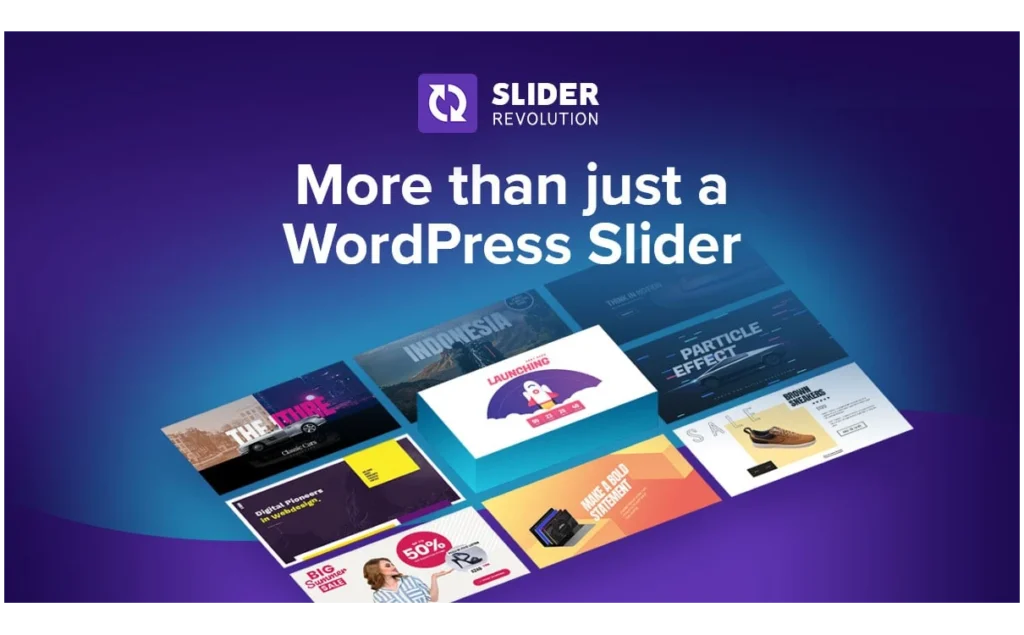
Slider Revolution is a visual page element generator plugin designed specifically for WordPress. It supports creating not only sliders but also carousels, hero blocks, one-page websites, dynamic content, and other design formats. Its intuitive visual editor, coupled with drag-and-drop functionality, allows users to preview designs in real-time, enabling them to create professional animations and visual effects even without coding experience. It's particularly suitable for webmasters, designers, developers, marketers, and business owners who want to quickly enhance their website's visual appeal, significantly saving design time and improving content interactivity and user experience.
Key Features
- Visual drag-and-drop editorReal-time design preview, no coding required.
- Rich template libraryOffers 250+ professional templates, which can be installed and customized with one click.
- Full device responsive tuningSupports layout and style optimization for different screen sizes.
- Diverse content display formatsSlideshows, carousels, Hero blocks, one-page layouts, dynamic content, etc.
- Animation and special effects enhancementProvides visual enhancement tools such as animation effects, advanced transitions, and particle animation.
- Improve resource supportComplete official documentation, video tutorials, FAQs, and one-on-one technical support.
Target audience and usage scenarios
- Web DesignerQuickly build creative slideshows, Hero blocks, and single-page presentations to keep up with design trends and improve design efficiency.
- DevelopersSave development time by using visual tools to achieve complex animations and modular displays.
- Marketing personnelCreate an attractive brand showcase page without outsourcing design, and improve conversion rates.
- Business owners and website ownersQuickly deploy visually compelling content to reduce development costs and enhance website professionalism.
- Applicable ScenariosProduct ad carousels, Hero sections on login pages, dynamic promotional pages, event promotion pages, one-page website creation, etc.
Comparison of similar plugins
| Functions | Slider Revolution | Smart Slider 3 (Pro) | LayerSlider 7 |
|---|---|---|---|
| Visual drag-and-drop editing | ✅ What you see is what you get | ✅ Simple panel + layer positioning mode | ✅ Timeline + Keyframes |
| Number of templates/sample libraries | 250+ website templates & slideshow templates | 100+ pre-made slides & page templates | 120+ sliders + 90+ popups (total 210+) |
| Dynamic content data source | WP Articles, Categories, WooCommerce, Social Media, and 8 other feeds | WP article/product/external RSS multi-source generator | Supports WP queries and custom fields (advanced). |
| Advanced animation effects | Particles, liquids, explosions, 3D transitions, and numerous official Add-Ons | Particle/shape/masking effects (few, require customization) | Professional effects such as Parallax, Scroll Scene, and Popup. |
| Page Builder Integration | Shortcode + Gutenberg Block | Elementor/Divi/Gutenberg Widget | Specialized widgets such as Elementor, Gutenberg, and WPBakery |
| Is there a free version? | ❌ (Paid) | ✅ (Core features are free) | ❌ (Paid Only) |
| Suitable for | Visual marketing, full-page animation, advanced animation needs | For beginners to intermediate levels, focus on ease of use and free start-up options. | Designers who need detailed timelines and pop-ups/banners |
Slider Revolution Exclusive
- 35+ effects add-ons (particles, canvas snowflakes, whiteboard handwriting, etc.) can be installed with one click to expand visual effects.
- “The "Full-Page Visual Building" capability allows users to directly create complete landing pages/multi-screen scrolling sites using its editor.
Smart Slider 3 exclusive
- The free version allows you to use visual drag-and-drop functionality and templates, reducing website building costs.
- “The "Dynamic Generator" can batch import WP articles, WooCommerce products, Facebook/YouTube content, etc., to create automatically updated slideshows.
LayerSlider specific
- 90+ Popup templates and pop-up triggers, also serving as marketing pop-ups.
- It integrates deeply with page builders such as Elementor, allowing for drag-and-drop functionality and quick editing in the builder's sidebar.
Selection Recommendations
- Want "What You See Is What You Get + Stunning Animations + Whole Site Templates"?“ → Select Slider Revolution.
- For first-time users, aiming for a quick start → Select Smart Slider 3(Use the free version first, then upgrade to Pro to get dynamic content).
- Projects requiring timeline-level fine-tuning, pop-ups, and multi-page animations. → Select LayerSlider.
If your site already uses Elementor extensively and you want to edit slideshows and pop-ups directly within the visual interface, you should consider it first. LayerSliderIf you primarily create e-commerce promotional carousels and need to quickly apply WooCommerce dynamic products, you can choose... Slider RevolutionIf the goal is simply to showcase blog posts and product catalogs while controlling costs,Smart Slider 3 The free/Pro combination offers the best value for money.
User Feedback Highlights
- “"This plugin is exactly what we creative workers need; it provides freedom and diversity... I can't live without Slider Revolution to start a new project."”
- “"The template is very easy to edit, and the animation effects are fantastic. I'm currently building my entire website using Slider Revolution."”
Suggestions for pairing with other plugins/themes
- Page BuilderIt can be integrated with Elementor, WPBakery, etc., to flexibly insert Slider modules into the page.
- e-commerce pluginDisplay popular products or promotional information on WooCommerce product pages and homepage carousels to increase click-through rates.
- Membership SystemAdd dynamic welcome banners or tutorial sliders to the members-only area to enhance user experience and interactivity.
Frequently Asked Questions (FAQ)
If the system displays "not activated" after installation, can it still be used normally?
Yes. All core editing functions and templates of the plugin are available, but online one-click updates or automatic template downloads are not supported; updates can be completed manually by uploading the .zip package.
Why does the slider suddenly become blank/page content disappear after updating or enabling?
Most likely, it's a cache or plugin conflict: ① Clear your browser, cache plugins, and CDN cache; ② Disable recently updated plugins or themes one by one, eliminate conflicts, and then enable them one by one.
Why are elements not displaying on mobile devices or missing?
Check the "Hide on mobile" switch in the module; if only individual elements disappear, check the visibility options for each layer.
Is the image blurry or has reduced resolution?
Common causes include automatic scaling or insufficient image size; please upload an original image with a width ≥ 2 × design width, and turn off "Force Scaling" in the slideshow settings.
Slow page loading and low speed score?
Enabling "Lazy Load" and "Place JS at the bottom" options; compressing large images, enabling built-in file optimization, and combining with site caching can significantly reduce the size of the first screen.
Why has autoplay or carousel stopped working?
Check if "Stop after N loops" or "Pause on first screen" is set; if referencing YouTube/Vimeo, please ensure the autoplay parameter is added.
Conflict with Elementor/Gutenberg editor?
If conflicts persist after updating both pages to the latest versions, you can enable the "jQuery No Conflict" mode and move the JS to the bottom of the page; or disable the slider live preview in the editor to reduce conflicts.
Why doesn't the slider refresh after enabling caching or CDN?
Clear all caches; ensure that relevant JS/CSS are not merged/delayed too late for asynchronous loading; enable "ignore query parameters" for CDN to avoid cache version inconsistencies.
How can I make the slider support multiple languages?
In the multilingual plugin, create a corresponding slider or clone module for each language and then replace the text; when using a dynamic article slider, simply translate the source article to automatically switch.
Template or effects import failed?
Check the server upload limits (memory_limit / max_execution_time) and ensure the uploaded package is complete; if it still fails, you can retry by selecting the local .zip file in "Module → Manual Import" and ensure that the versions match.



