


Download Version
- Thrive Comments v10.7.1
Introduction to Thrive Comments
Product Overview
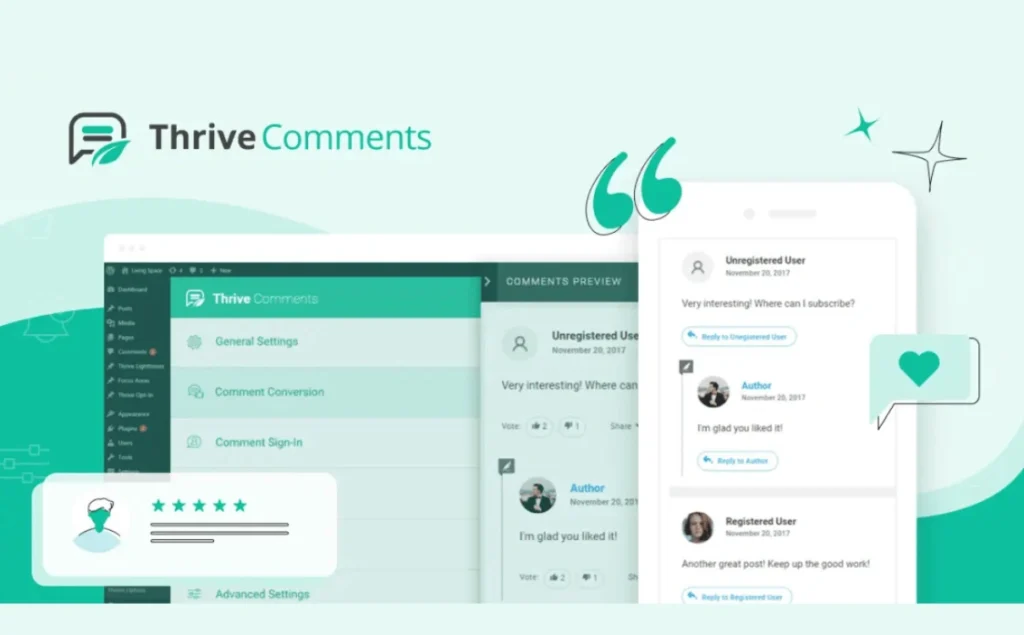
Thrive Comments is an innovative comments plugin designed for WordPress, designed to revolutionize your site's comments section. More than just a simple comment box, it is a powerful interaction engine that incorporates many of the engaging elements of social media and community forums into your website. The core goal of the plugin is to boost user engagement, promote in-depth discussions, and ultimately convert commenters into your loyal users or customers.
Thrive Comments accomplishes this by introducing a variety of key features, such as: the ability for users to vote (like/tap) on comments, which helps filter out high-quality discussions; support for social media logins, which significantly lowers the barrier for users to comment; providing the ability to display a specific message or offer after a comment, which provides site operators with the opportunity to interact directly with users and lead to conversions; and incentivizing active participation through achievement badges and reward systems.
This plugin is perfect for content creators, bloggers, online communities, news media, e-commerce sites, and any WordPress site that wants to boost user interaction and build an active online community. It effectively solves the problems of poor interactivity, spam, and low user engagement of traditional commenting systems, and helps you turn one-time commenters into long-term followers, which increases page views, reduces bounce rates, and brings sustained traffic and value to your website.
Key Features
- ✅ Comment voting (Upvote/Downvote): Surface quality comments to enhance the quality of the discussion
- ✅ Social Login Comments: Supports Facebook, Google login and simplifies the process of posting comments.
- ✅ Customized incentives after comments: pop-up thank you, social share, lead generation or display form after submitting a comment
- ✅ Independent back-office management and collaboration distribution: Marking comments for reply, assigning to team members, marking preferred comments
- ✅ Medal system gamification: Customize review reward badges to incentivize return visits and engagement
- ✅ Lazy loading optimization: delayed loading of comments and avatars to improve page load speeds
- ✅ Automatic keyword linking: Automatically insert links to specific keywords in the comments to enhance the lead-in effect
- ✅ Anti-Spam and Notification Subscriptions: Built-in IP/keyword filtering and comment reply subscription features
- ✅ Commentary Dashboard Analysis: Statistics on comment volume, votes, active users and trending topics, support for content optimization
Target audience and usage scenarios
Thrive Comments is suitable for all types of WordPress websites, especially those that focus on user interaction, community building and content conversion:
- Content-based websites and blogs: Encourage readers to make in-depth comments and discussions on articles to enhance content value and user stickiness.
- Online communities and forums: Create a more dynamic user communication platform and promote positive contributions from community members through reward mechanisms.
- News and media sites: Facilitates readers to express their views on news events, promotes discussion of current events and increases site activity.
- Educational and curricular platforms: Facilitate communication and interaction among learners or facilitate Q&A and feedback between teachers and learners.
- Small Business & Branded Websites: Collect user feedback, answer questions, build user trust, and convert reviews into potential customer leads.
- Any website looking to boost user engagement and conversions: Convert one-time visitors into loyal fans or paying subscribers with an interactive comment section.
Comparison of similar topics
| Core functional items | Current products: Thrive Comments | Alternative 1: Disqus | Alternative 2: wpDiscuz |
| Comment voting (like/tap) | ✅ | ✅ | ✅ |
| Social Login | ✅ | ✅ | ✅ |
| Post-comment actions/conversions | ✅ | ❌ | ❌ |
| Medal/achievement system | ✅ | ❌ | ❌ |
| Dedicated comment management interface | ✅ | ✅ | ✅ |
| Comment distribution/teamwork | ✅ | ❌ | ❌ |
| Comment lazy loading | ✅ | ✅ | ✅ |
| Data reporting and statistics | ✅ | ✅ | ✅ |
| Built-in anti-spam comments | ✅ | ✅ | ✅ |
| User can edit/delete comments | ✅ | ✅ | ✅ |
Features unique to current products: Thrive Comments highlights its role inPost Comment Conversion和Gamification MotivationIt is a unique advantage. It allows you to display customized offers, relevant content recommendations, social sharing options or redirect users to specific pages immediately after they post a comment, thus effectively guiding them to the next step and converting them from commenters to subscribers or customers. In addition, its uniqueMedals and Achievement SystemIt can greatly motivate users to comment and foster a loyal community on the site. In theComment managementIn terms of that, Thrive Comments offers more granular team collaboration features that allow comments to be assigned to specific users for processing, which is especially useful for multi-author or large sites.
Alternatives-specific features:
- Disqus: As an independent commenting service, Disqus has a large network of users, making it easier for users to log in and comment between sites, and its built-in spam filtering system performs well. However, its free version may contain advertisements, and comment data is stored on third-party servers.
- wpDiscuz: wpDiscuz is a plugin that focuses on enhancing the WordPress native commenting experience, featuring highly customizable comment forms and powerful AJAX live commenting functionality that delivers a real-time, interactive experience similar to social media. It focuses more on optimizing and extending the existing WordPress commenting system.
User Feedback Highlights
- “Revolutionized our comments section!” Many users report that Thrive Comments has revitalized the otherwise dormant comments section of their site, dramatically increasing user engagement and length of interaction.
- “The conversion feature is so powerful, not just the comment plugin.” Users rave about the post-comment lead feature, calling it “more than just a comment plugin” that helps them get subscribers or leads directly from comment interactions.
- “It's so easy to manage and never have to worry about spam comments again.” The efficient comment management interface and built-in anti-spam commenting features have been widely praised and save a lot of time for webmasters.
Suggestions for pairing with other plugins/themes
Thrive Comments is designed to work seamlessly with all types of WordPress websites, and to maximize its effectiveness, we recommend using it with the following types of plugins/themes:
- Page builder: Works with popular page builders like Elementor, Beaver Builder, Thrive Architect and more to ensure that comment section styling blends seamlessly with your overall site design and allows you to easily integrate commenting functionality on any page.
- SEO plugin: Combine this with SEO optimization plugins such as Rank Math, Yoast SEO, etc. to further improve the search engine visibility of your comment content, as an active comment section generates new, topic-relevant keyword content that can help improve page rankings.
- Email Marketing Integration: If your website is already using email marketing services such as Mailchimp, ConvertKit, ActiveCampaign, etc., Thrive Comments can easily lead users to subscribe to your mailing list through post-comment conversion actions, converting commenters into email subscribers.
- Membership System/Learning Management System (LMS): For membership sites or online course platforms, Thrive Comments can enhance interactions between members or learners, such as asking questions, discussing and sharing experiences through the comments section, to improve community cohesion.
- Social Sharing Plugin: Combine with social sharing plugins such as AddToAny, ShareThis, etc. to encourage users to share great comments or posts to social media to further expand the reach of your content.



