


Download Version
- TranslatePress Pro v2.9.5
- TranslatePress Pro Business v1.7.3
- TranslatePress add on automatic language detection v.1.0.3
- TranslatePress add on browse as other roles 1_0.2
- TranslatePress add on deepl v.1.0.0
- TranslatePress add on extra languages v.1.0.1
- TranslatePress add on language by get parameter 1.0.3
- TranslatePress add on navigation based on language 1.0.0
- TranslatePress add on seo pack v.1.3.0
- TranslatePress add on translator accounts
DeepL API Key is correct but “The API key entered is invalid / 403 Forbidden”?
Recently DeepL has made security upgrades to API authentication:It is no longer supported to put auth_key The old way of putting it in the URL parameters or request body, must read HTTP Header Authentication(Authorization: DeepL-Auth-Key xxx), and /translate The endpoint only accepts POST request; continuing to use the old way will return 403 Forbidden.
If you are using the DeepL API Free (usually starts with :fx (end)It also needs to make sure that the request goes https://api-free.deepl.comand select Automatic Translation in TranslatePress. API version = Free.
✅ Solution: Just upgrade TranslatePress to a newer version (we tested it!) TranslatePress Business v1.7.3 (The update is back to normal). Also, TranslatePress has explicitly fixed the “outdated way of calling the DeepL API” in the history update.
Tip: If the test still fails after upgrading, it is recommended to clear the site cache/Cloudflare cache before clicking Test API Credentials.
If you have encountered card binding, subscription selection, interface differentiation ( Free/Pro, api-free/api), Key acquisition and quota control and other thresholds, we at WP Builder provide one-stop assistance: including DeepL API Free/Pro compliance opening guidance + TranslatePress docking configuration + translation quota/cost optimization, and can provide you with the best translation services through the WP Builder. , and through the enterprise/volume channel to provide more cost-effective API use program (on-demand choice of Free 500,000 characters per month or Pro billing model), if you need to friends are welcome to contact the site to consult.
Global users at your fingertips!
TranslatePress - Make your website instantly multilingual!
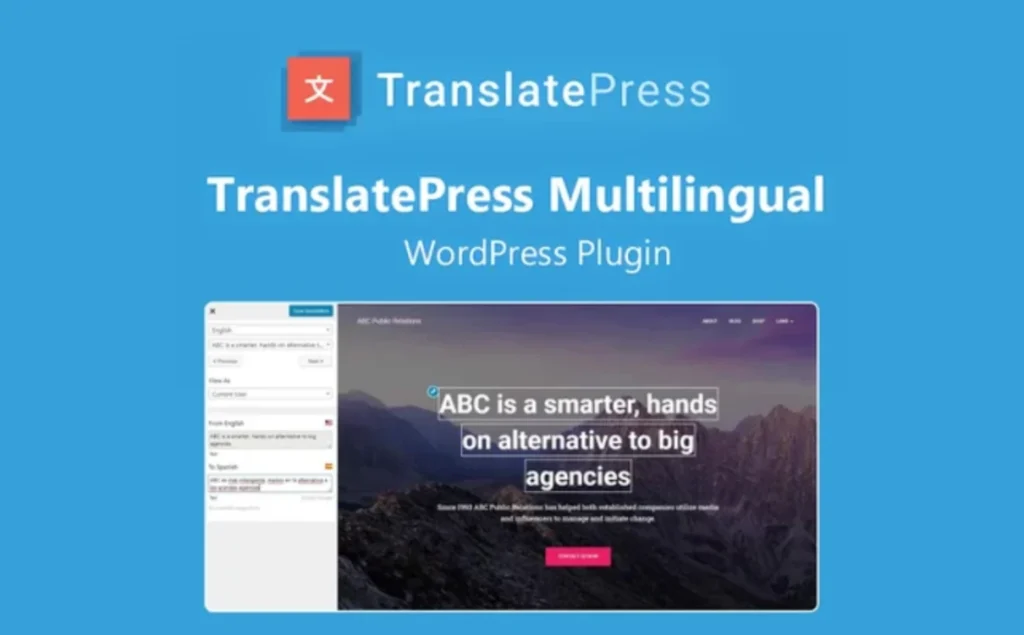
TranslatePress lets webmasters translate page content directly from the front-end visual interface, without switching backends or installing multiple language files. It supports real-time translation of all page elements including shortcodes, forms, page builder output and WooCommerce, ensuring a WYSIWYG translation experience.
Core Features
- Visual Front-End Translation: Click on the text directly on the front-end page to translate and preview the result immediately, without the need to log in on the back-end.
- Automatic Translation Support: Integrate Google Translate and DeepL API, one-click automatic translation of the whole site or specified pages, and you can enable the “auto-translate Slugs” function to generate multi-language URL aliases.
- Translation Memory: The plug-in remembers what has been translated and automatically applies historical translations when they recur, improving consistency and efficiency.
- SEO Pack ExtensionIt supports translation of all SEO metadata (title, description), URL Slugs and breadcrumb text, and is compatible with Yoast, Rank Math and other mainstream SEO plug-ins, helping multilingual SEO optimization.
- Multilingual URL structure: Flexibility to choose subdirectories, subdomains or parameter ways to optimize search engine crawling and user experience.
- WooCommerce and Email Translation: Translatable product pages, shopping carts, checkout pages and WooCommerce email templates, ensuring full coverage of e-commerce multi-language scenarios.
- Translation teamwork: Supports adding multiple Translator Accounts and assigning translation privileges by role, which is suitable for collaborative work by multiple translators.
- Performance Friendly: Dynamically replacing the original HTML schema of a page with little impact on front-end loading speed; less impact on page loading than WeGlot, Polylang, WPML.
Applicable Scenarios
- Cross-border e-commerce website: full multi-language coverage, including product details and email notification translation.
- Corporate website: SEO Pack extension guarantees search performance for different language versions.
- Content marketing: translating blogs, case studies to attract a wider international audience.
- Multi-translator projects: leveraging translation memories and team accounts to optimize collaboration and delivery efficiency.
Known for its ease of use, SEO-friendliness and high performance, TranslatePress is ideal for building multilingual WordPress sites.



