


Download Version
- WP Debug Toolkit Pro v1.0.0
Introduction to WP Debug Toolkit Pro
Product Overview
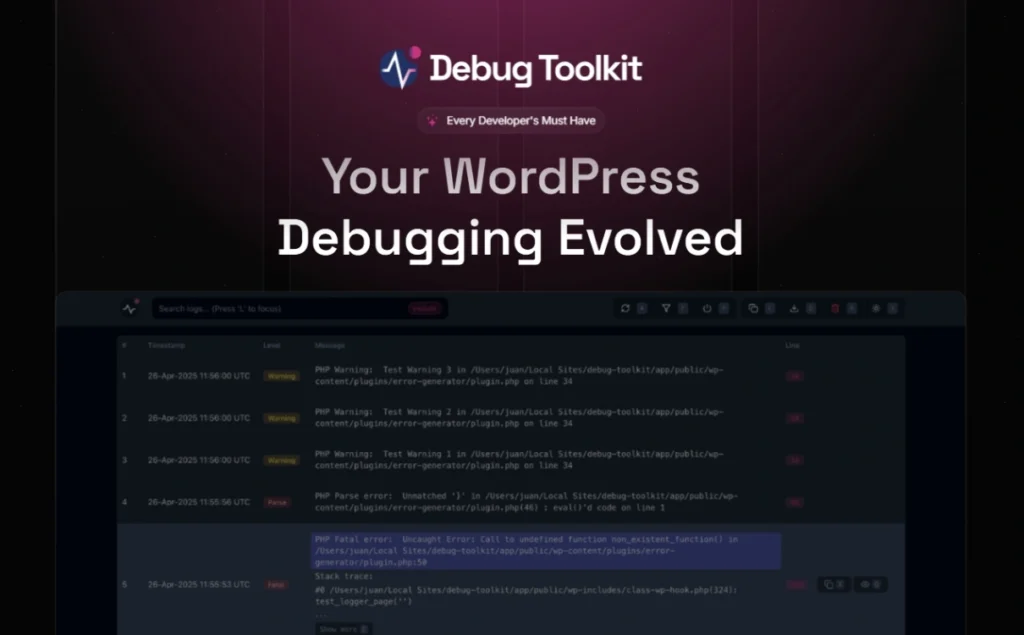
WP Debug Toolkit is a debugging tool designed for WordPress plugin and theme developers. It integrates a variety of debugging features: unified display of PHP errors and Whoops pop-up interface, support for Symfony VarDumper and Kint real-time variable output, call stack display in the background, and even a standalone log viewing app and crash recovery mechanism. Developers can quickly debug with shortcuts, filter and search log content in real-time, and enable recovery of plugins/themes when locked out of the background, making it ideal for users with complex WordPress development or debugging tasks.
Key Features
- ✅ Real-time PHP error display + Whoops interface: Enhance debugging experience by seeing errors at a glance
- ✅ VarDumper + Kint Visual Variable Output:support
vdump()、dump()and many other functions - ✅ Interactive Call Stack Tracing: Directly view function execution paths and their file locations
- ✅ Real-time log viewing and filtering: Support for keyword filtering, error highlighting
- ✅ Standalone Log View Mobile App: Password can be set to view debug logs outside the station
- ✅ Crash recovery mechanism: Temporarily disable plugin/theme to restore access when site backend is locked out
- ✅ Shortcuts and UI Optimization: debugging is more efficient, the interface is refreshing, and support for copying and locating log content.
Target audience and usage scenarios
Recommended User Type
- WordPress Plugin/Theme Developer
- PHP Backend Engineer & Senior Developer
- Web maintainer, DevOps engineer
- Users who frequently debug custom code, highly customized environments
Typical usage scenarios
- Debugging logic errors and variable output when writing or modifying plugins/themes
- PHP performance and error log tracking (troubleshooting warnings, notifications, slow queries, etc.)
- Quick troubleshooting of on-site environment to restore backend access
- Improve development efficiency with versioning and testing tools
Comparison of similar topics
| Functions | Current Products (WP Debug Toolkit) | WP Debugging (Andy Fragen) | Debug Bar / Query Monitor |
|---|---|---|---|
| Real-time PHP error screen | ✅ Whoops Popup Visuals | ❌ (Log & General Display only) | ❌ (background information only) |
| Variable Visual Output Tool | ✅ VarDumper + Kint | ❌ (no independent variables shown) | ❌ (performance statistics-based) |
| call stack trace | ✅ Support for interactive code jumping | ❌ | ❌ (basic hook tracking) |
| Log Filtering and Searching | ✅ Multi-criteria filtering and highlighting | ✅ (Basic Log View) | ✅ |
| Crash recovery mechanism | ✅ Can disable plugins/themes to restore background access | ❌ | ❌ |
| Standalone Password Protected Log Viewer App | ✅ Out-of-day commissioning security enhancements | ❌ | ❌ |
| Shortcuts and UI Optimization | ✅ Multiple key combinations for quick entry | ❌ | ❌ |
A description of the unique features of the current product:
- Unique Whoops pop-up error interface to enhance the problem localization experience;
- Support VarDumper + Kint two kinds of variable output methods, more flexible;
- The call stack is viewed interactively and jumps directly to the source code file;
- Crash recovery mechanism for backend security;
- Supports independent App log viewing and password protection for remote debugging.
User Feedback Highlights
- Review from WebTNG: “WP Debug Toolkit is a power tool, powerful and easy to use, if you don't have a similar tool, this is a no brainer.”
- GitHub Community Recognition: “Code debug made easier and more enjoyable”
- Reddit user feedback: “It lets you instantly toggle debug mode and debug log from the toolbar - no editing wp-config.php manually.”
Suggestions for pairing with other plugins/themes
WP Debug Toolkit can be used in conjunction with the following plugins to further enhance development efficiency:
- Query Monitor: Analyze database queries, HTTP requests, and hook execution;
- Debug Bar: Supplemental performance monitoring, caching and script queue information;
- Elementor / Beaver Builder: Debugging PHP hooks generated by the custom page builder plugin conflicts with templates;
- WooCommerce / Easy Digital Downloads: Detect e-commerce extension PHP errors, hooks issues;
- User Membership plug-ins (e.g. MemberPress, Restrict Content Pro): Aids in debugging permission validation logic and hook execution.



