


Download Version
- Wp File Manager Pro v8.4.3
Introduction to Wp File Manager Pro
Product Overview
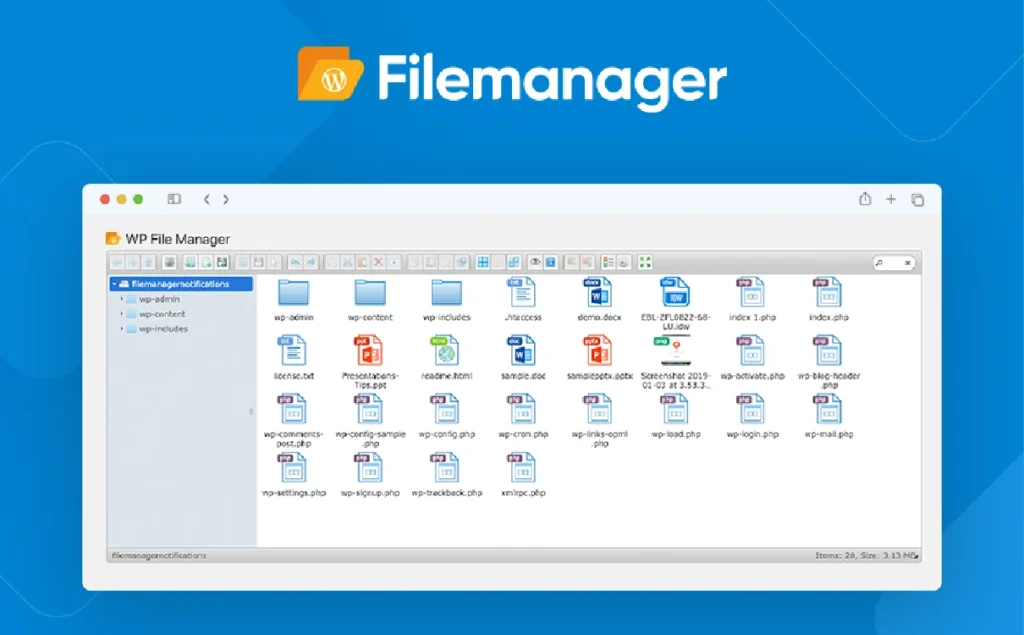
WP File Manager is a powerful WordPress file management plugin designed to simplify the process of managing site files. Users can edit, upload, download, copy and paste files in the WordPress backend without using FTP client or cPanel. The plugin has a built-in code editor, database management tools, and supports user roles and permissions to meet the needs of different users. In addition, WP File Manager provides integration with Google Drive, Dropbox, GitHub and other cloud storage services, which is convenient for users to manage files stored externally.
Key Features
- Comprehensive file manipulation support: Edit, delete, upload, download, copy, paste and other basic file management functions.
- Built-in code editor: Supports multi-theme switching and provides full-screen view to enhance the code editing experience.
- Database management tools: Manage your database directly in the WordPress backend, simplifying the data manipulation process.
- user rights control: Ensure file security by setting file operation rights based on user roles.
- Cloud Storage Integration: Supports integration with Google Drive, Dropbox, GitHub, and other cloud services to extend file management capabilities.
- Short code support: Display the file management interface on the front-end page via shortcode for user-friendly operation.
- Notification of document operations: Provide e-mail notification function for editing, uploading, downloading and other operations of files.
- File Path Privacy Protection: Hide actual file paths to enhance site security.
Target audience and usage scenarios
WP File Manager is suitable for the following users and scenarios:
- Developers and site administrators: Users who need to manage site files and databases frequently.
- content creator: Users who need to display and manage documents on the front end of the site.
- Educational institutions and enterprises: Scenarios that require file upload and download functionality for users.
- Multilingual website: Sites that need to support multilingual document management and presentation capabilities.
Comparison of similar plugins
| Plug-in Name | Main features | WP File Manager Advantages |
|---|---|---|
| Advanced File Manager | Support front-end document management, PDF preview and other functions | Stronger database management features and support for more cloud storage integration |
| WP File Download | Specialized in file download management with WooCommerce support | Provides more comprehensive file manipulation functions, applicable to a variety of scenarios |
| Filester | Free and open source with a clean interface | Provide more extended functionality and commercial support |
User Feedback Highlights
easy-to-use: Users report that the plug-in's interface is intuitive and easy to operate, improving work efficiency.
Comprehensive functionality: Integrates code editing, database management, cloud storage and many other functions to meet different needs.
High stability: The plugin is stable and compatible and works in a wide range of WordPress environments.
Matching Suggestions
WP File Manager can be used with the following plugins to enhance site functionality:
- Elementor: Embedding a document management interface in a page via shortcode.
- WooCommerce: Provide users with file upload and download functions to support digital product sales.
- Membership System Plug-in: Set file access rights based on user roles to provide personalized service.



