


Download Version
- YellowPencil v7.6.6
Introduction to YellowPencil
Product Overview
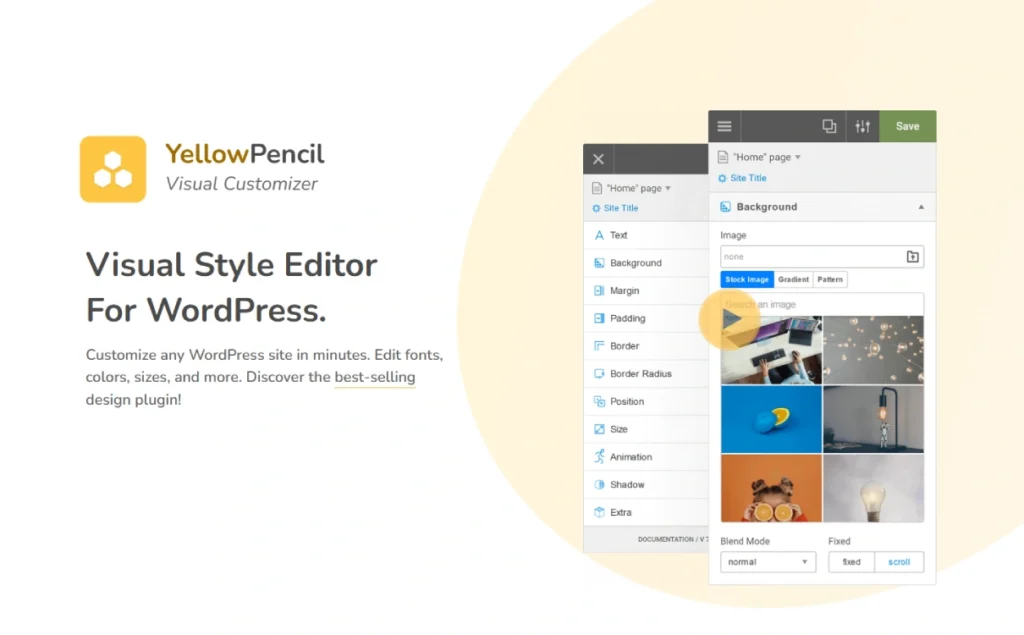
YellowPencil is a visual CSS style editing plugin designed for WordPress users. It allows you to customize the appearance of your website without writing code through an intuitive front-end interface. Users can adjust fonts, colors, margins, backgrounds, animations and more by simply clicking on a page element, with all changes taking effect in real-time. The plugin supports global, single-page and template-level style customization and is compatible with major page builders such as Elementor and Gutenberg, making it suitable for all types of website design needs.
Key Features
- Real-time visual editing: Adjust the style directly in the front-end interface and preview the effect in real time.
- Comprehensive CSS property supportOver 60 properties including fonts, colors, margins, backgrounds, animations and more.
- Powerful animation features: Provides more than 50 animation effects and supports custom animation generation.
- Responsive Design Tools: Optimize the display on mobile, tablet and desktop.
- Page builder compatibility: Seamless integration with leading builders such as Elementor, Gutenberg, etc.
- Element Drag and Drop and Adjustment: Supports drag-and-drop rearrangement and resizing of elements.
- Style management and export: Provide style management, import and export functions for easy cross-site application.
Target audience and usage scenarios
YellowPencil is suitable for the following users and scenarios:
- Small and medium-sized business owners: Quickly customize the style of the official website without the need for a developer.
- Freelancers & Web Designers: Efficiently complete style customization for client projects.
- E-commerce platform operators: Optimize the visual appearance of key pages such as product pages, shopping carts, checkout pages, etc.
- Educational Institutions and Bloggers: Enhance the visual appeal and user experience of your website.
Comparison of similar plugins
| Plug-in Name | Strengths and Positioning |
|---|---|
| YellowPencil | No need to write code, real-time front-end editing, and compatibility with mainstream builders. |
| CSS Hero | The interface is friendly and suitable for beginners, but the functionality is relatively basic. |
| SiteOrigin CSS | Full-featured and free to use, but the interface is slightly complicated to operate. |
YellowPencil excels in ease of use and feature richness, especially for users who want to quickly personalize their designs.
User Feedback Highlights
- “As a non-programmer, I can easily tweak the site style and save on development costs.”
- “The animation feature makes my website more attractive and the feedback from my clients has been excellent.”
- “Seamless integration with Elementor for smooth operation and instant results.”
Matching Suggestions
YellowPencil can be used with the following plugins/themes to enhance the functionality and performance of your website:
- Elementor / Gutenberg: Combine with the page builder for finer style customization.
- WooCommerce: Optimize the visual effects of key e-commerce pages such as product pages, shopping carts, checkout pages, etc.
- WPML / Polylang: Provide a consistent style experience for multilingual websites.
- Yoast SEO / Rank Math: Ensure good SEO performance while optimizing style.



