


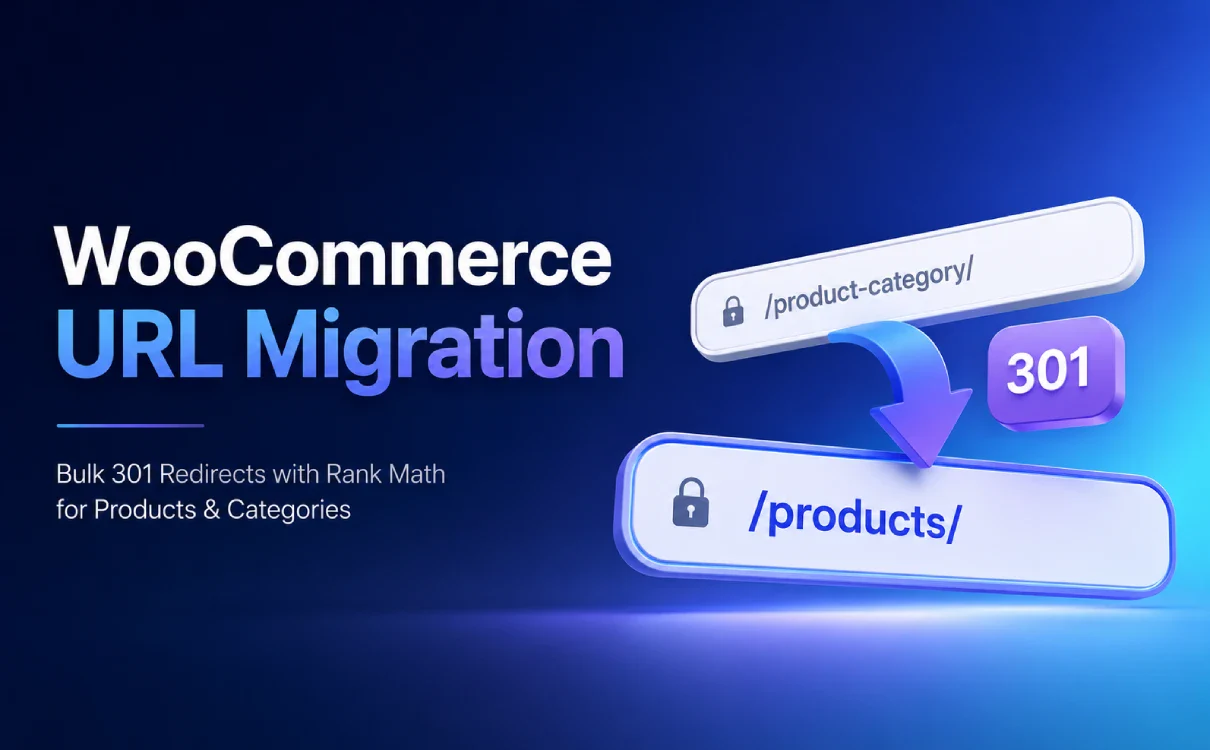
While performing maintenance on a WooCommerce website for an international trade company, we needed to redesign the URLs for product details and product categories.
The original product detail link was previously used incorrectly by the client using the following structure:
https://example.com/Product-Categories/2-ethyl-3-5-dimethylpyrazine/
The plan has been revised to:
https://example.com/product/2-ethyl-3-5-dimethylpyrazine/
At the same time, the original product category links in WooCommerce:
https://example.com/product-category/natural-acid-series/
We also plan to change it to:
https://example.com/products/natural-acid-series/
To protect customer information, this article consistently uses example.com Use these as placeholders for the actual domain names, but retain the actual link structure, Rank Math configuration, and troubleshooting process used in this project.
On the surface, this is simply a matter of standardizing two URL prefixes, but since the website is already live and some products and product categories have already been indexed by Google, this actually constitutes a minor URL Migration.
Throughout this process, the issues to be addressed go beyond simply “where to edit the permalinks” and also include:
- How should existing URLs that have already been indexed be handled?;
- The website has a large number of products. Do I need to set up 301 redirects for each one individually?
- How to ensure that old products are correctly mapped to their corresponding new products;
- How to Avoid Redirect Chains and Incorrect Redirects;
- Why does Rank Math redirect some product categories to the homepage?;
- What SEO follow-up tasks need to be completed after the revisions are finished?
Below is a complete walkthrough of the process of restructuring the WooCommerce product URLs.
Objectives of This WooCommerce URL Refactoring
The final link structure has been determined as follows:
| Content Type | Original URL Structure | New URL Structure |
|---|---|---|
| Product Details | /Product-Categories/product-slug/ | /product/product-slug/ |
| Product Categories | /product-category/category-slug/ | /products/category-slug/ |
For example:
产品详情:
/product/2-ethyl-3-5-dimethylpyrazine/

产品分类:
/products/natural-acid-series/
The singular form is used here for /product/ To refer to specific products, use the plural form of /products/ This refers to product catalogs or product categories, making it easier for both visitors and website administrators to understand.
WooCommerce itself also treats “Product Permalinks” and “Product Category Prefix” as two separate sets of settings. By default, product details typically use /product/product-name/, while product categories use /product-category/category-name/, Both can be modified in WordPress's permalink settings.
Google recommends that websites use URLs that are logically structured, easy to understand, and descriptive. However, making URLs shorter or more aesthetically pleasing does not necessarily mean that rankings will improve. The primary value of this change is to unify the information architecture, eliminate semantic confusion in the original paths, and establish a more stable URL convention for future website maintenance.
Can I still edit a URL that has already been indexed by Google?
You can make the change, but you must treat it as a formal URL migration—not just a matter of updating the permalinks in the admin panel and calling it a day.
Google treats path variations within the same website, such as:
/example-old-path/page/
Change to:
/example-new-path/page/
This also falls under “website migration with URL changes.” Google recommends establishing a mapping between the old and new URLs before the migration and using server-side permanent redirects to point the old URLs to their corresponding new URLs.
For permanent URL changes, you should use:
301 Moved Permanently
Or:
308 Permanent Redirect
In typical WordPress and Rank Math use cases, a 301 redirect is the most common and appropriate choice. Google also recommends using server-side 301 or 308 redirects for permanent redirects.
Please note:
Just because a URL has already been indexed doesn’t mean it can never be changed, but you shouldn’t change it frequently just to make it “look nicer.”
If the old URL has a clear structure, has been stable over the long term, and has good search rankings and backlinks, the need to change it should be carefully evaluated.
In this case study, the legacy product path /Product-Categories/ Although it actually displays a single product detail page, it uses a name like “Product Categories” and includes uppercase letters—this clearly indicates a problem with the information architecture, so it’s worth revising it once and for all to a more reasonable structure.
Things to Confirm Before Making Changes
Before proceeding with the actual operation, we recommend that you complete the following preparations.
Verify that the product and category slugs do not change
The bulk redirection solution in this tutorial is suitable for:
只修改 URL 前缀
产品或分类自身的 slug 保持不变
For example:
/Product-Categories/abc/
→ /product/abc/
And:
/product-category/flavors/
→ /products/flavors/
If the product slug also changes, for example:
/Product-Categories/old-product-name/
→ /product/new-product-name/
Since the standard regex rules cannot automatically determine the correspondence between the two, these links require the creation of separate, precise one-to-one redirects.
Back up the website and preserve the old URLs
Before making any changes, you should at least back up the following:
- WordPress database;
- Website files;
- Rank Math Redirect Settings;
- Current XML Sitemap;
- URLs for Key Products and Product Categories.
For websites with a large number of products, you can export existing URLs from Rank Math Sitemap, Google Search Console, the website’s crawl tool, or the database.
Google also recommends organizing the old URLs before migrating them and establishing mappings from the old URLs to the new ones.
Check for conflicts with the new URL prefix
This case study was ultimately used for:
产品详情:/product/
产品分类:/products/
Do not set both product details and product categories to use the same prefix. For example:
产品详情:/products/
产品分类:/products/
WooCommerce explicitly states that the product custom base and the taxonomy permalink base must be unique; otherwise, WordPress may not be able to distinguish between product detail pages and product category pages.
If the website already has a URL that is:
https://example.com/products/
The Products page should also be tested in advance:
/products/
/products/category-slug/
Verify that both the product overview page and the product category page render correctly.
Avoid making too many major changes at the same time
During the URL migration, it is not recommended to perform the following actions simultaneously:
- Change the domain name;
- Change servers;
- Change the theme;
- Change the multilingual scheme;
- Making large-scale changes to page content;
- Replace the SEO plugin at the same time;
- Adjust the HTTPS, www, or non-www versions at the same time.
Otherwise, if there are any anomalies in traffic, search rankings, or backlinks, it will be difficult to determine exactly which change caused the issue.
Step 1: Modify WooCommerce Product Permalinks
Enter:
WordPress 后台
→ 设置
→ 固定链接
Scroll down to:
产品固定链接
Product permalinks
Select:
自定义结构
Custom base
Fill in:
/product/
After saving, the product details URL will change from:
/Product-Categories/2-ethyl-3-5-dimethylpyrazine/
Change to:
/product/2-ethyl-3-5-dimethylpyrazine/
According to the official WooCommerce documentation, for non-plain permalinks, products can use the following by default: /product/product-name/, or you can customize the product base.
Step 2: Modify the product category prefix
Still at:
设置
→ 固定链接
Find the following in the “Optional” section:
产品分类目录前缀
Product category base
The default settings for WooCommerce are usually:
product-category
Change it to:
products
After saving, the original product category URL:
/product-category/natural-acid-series/
Will become:
/products/natural-acid-series/
WooCommerce has officially confirmed that,product-category This is the default product category base, and it can be customized in the permalink settings.
It is important to note that modifying the product category prefix primarily determines:
/products/category-slug/
Don't assume that:
/products/
It will automatically become a complete Product Center page.
If you need a separate "Products" page in your site navigation, you should check whether that page is a standard WordPress page, a WooCommerce Shop page, or a product archive page generated by the theme template.
Step 3: Check Rank Math’s WooCommerce URL settings
In addition to WordPress permalinks, Rank Math also offers several features that rewrite WooCommerce URLs.
Enter:
Rank Math SEO
→ General Settings
→ WooCommerce
Key Areas to Inspect:
Remove Base
Remove Category Base
Remove Parent Slugs
If the goal is to explicitly retain:
/product/product-slug/
/products/category-slug/
We recommend that you first disable the following during the migration:
Remove Base
Remove Category Base
If you enable "Remove Base," Rank Math may continue to remove the fixed prefix from product URLs; if you enable "Remove Category Base," it may also continue to remove paths related to product categories.
During the migration, you should ensure that a single entity is responsible for the URL structure as much as possible.
In other words:
WooCommerce 固定链接
负责确定最终 URL
At this stage, Rank Math is primarily responsible for:
旧 URL 到新 URL 的 301
Do not enable multiple “Remove Prefix” or “Simplify URL” features at the same time, as this may result in:
- The actual URL does not match the expected one;
- Secondary redirection;
- Redirect loop;
- Conflicts between products and category paths;
- Some pages return a 404 error.
If the website has parent-child product categories, you should also confirm whether you plan to retain the parent category slug.
For example:
/products/natural-flavors/acid-series/
If "Remove Parent Slugs" is enabled, it might look like this:
/products/acid-series/
This will affect how the Regex redirects are mapped. According to Rank Math’s official documentation, “Remove Parent Slugs” removes the parent category portion from subcategory URLs.
Step 4: Use Rank Math Regex to Set Up 301 Redirects in Bulk
After setting up the new permalinks, you'll need to set up a permanent redirect from the old URLs to the new ones.
Enter:
Rank Math SEO
→ Redirections
→ Add New
If you don't see the "Redirections" menu, you'll need to first go to:
Rank Math SEO
→ Dashboard
→ Modules
Enable:
Redirections
For some advanced options, you'll also need to switch Rank Math to Advanced Mode.
Product Details: Batch 301 Rules
The old product structure was:
/Product-Categories/product-slug/
The new structure is:
/product/product-slug/
Add the following in Rank Math:
Source URLs:
^Product-Categories/(.+?)/?$
Match Type:
Regex
Destination URL:
https://example.com/product/$1/
Redirection Type:
301 Permanent Move
Ignore Case:
开启
Status:
Active
Final result:
/Product-Categories/2-ethyl-3-5-dimethylpyrazine/

→ 301

/product/2-ethyl-3-5-dimethylpyrazine/
Since the old path contains uppercase letters, enabling "Ignore Case" ensures compatibility with any case variations that may exist. According to Rank Math's official documentation, URLs are case-sensitive by default, and a "Ignore Case" toggle is provided.
Product Category Batch 301 Rule
The old classification structure was:
/product-category/category-slug/
The new structure is:
/products/category-slug/
Add a second rule:
Source URLs:
^product-category/(.+?)/?$
Match Type:
Regex
Destination URL:
https://example.com/products/$1/
Redirection Type:
301 Permanent Move
Status:
Active
Final result:
/product-category/natural-acid-series/

→ 301

/products/natural-acid-series/
For the "Source URL" in Rank Math, you can enter either the full URL or just the path following the domain name; the plugin will automatically handle the domain name and leading and trailing slashes. For the "Destination URL," Rank Math officially recommends entering the full address to reduce configuration ambiguity.
What do these regex patterns represent?
For example:
^product-category/(.+?)/?$
For example:
^: Matches starting from the beginning of the URL path;product-category/: Matches only this old directory;(.+?): Capture the category slug or subpath that follows;/?: Supports URLs with or without a trailing slash;$: Must match up to the end of the path;$1: Reuse the captured content in the target URL.
For example, the old URL:
/product-category/natural-acid-series/
Among them $1 The following was captured:
natural-acid-series
Target URL:
https://example.com/products/$1/
This will ultimately generate:
https://example.com/products/natural-acid-series/
Why not use the broadest one? (.*)
The following rule may also apply:
^product-category/(.*)$
但 .* It can match empty content.
To prevent paths without a category slug from triggering the rule, this article uses:
(.+?)
At least one character is required.
Regex can match a large number of URLs with a single rule, but a rule that’s too broad may inadvertently affect an entire directory. Rank Math specifically warns that an incorrect regular expression may match too many URLs, so you should test it with a small number of representative links before deploying it.
In what situations should you not rely solely on these two rules?
If any of the following changes occur, you cannot rely solely on a single regular expression:
产品 slug 也被修改
分类 slug 也被修改
分类层级发生变化
父分类被删除
多个旧分类合并成一个新分类
某些产品已经永久下架
不同旧 URL 需要跳到不同目标
Separate, precise redirects should be set up for these types of URLs, for example:
旧:
/Product-Categories/old-product/

新:
/product/new-product/
You can configure the following individually:
Source:
Product-Categories/old-product/

Destination:
https://example.com/product/new-product/
Step 5: Save the permalinks again and clear the cache
Once the setup is complete, we recommend following these steps in the order listed below:
- Go to “Settings → Permalinks” in WordPress;
- If you don't need to make any further changes, just click “Save Changes”;
- Clear the cache for FlyingPress, WP Rocket, or any other page caching plugin;
- Clear the server or host cache;
- Clear the cache from Cloudflare or another CDN;
- Retest using your browser's incognito window.
According to the official WooCommerce documentation, WordPress refreshes the rewrite rules when you save permalinks. If a 404 error appears on a product page after making changes, you can go back to the permalinks page and simply click "Save" to force a regeneration of the rewrite rules.
If you only modify the permalinks without refreshing the rewrite rules, the following may occur:
新 URL 404
旧 URL 重定向异常
后台显示正确但前台仍使用旧规则
However, if the cache is not cleared, the following may occur:
规则已经修改
浏览器仍显示旧的 301 结果
Step 6: Use curl to check the actual HTTP status
Don't just look at which page the browser last opened.
Browsers automatically follow 301 redirects, so you only see the final page, making it difficult to determine:
- What is the status code for the first hop?;
- Does it pass through multiple addresses in between?;
- Is the redirect triggered by Rank Math, Nginx, a CDN, or another plugin?;
- Will the target page ultimately return a 200, a 404, or another 301?
Windows users can open CMD and run the following command:
curl.exe -I https://example.com/Product-Categories/2-ethyl-3-5-dimethylpyrazine/
The ideal result should look something like this:
HTTP/1.1 301 Moved Permanently
X-Redirect-By: Rank Math
Location: https://example.com/product/2-ethyl-3-5-dimethylpyrazine/
Then check the new URL:
curl.exe -I https://example.com/product/2-ethyl-3-5-dimethylpyrazine/
The ideal outcome is:
HTTP/1.1 200 OK
You can also use:
curl.exe -IL https://example.com/Product-Categories/2-ethyl-3-5-dimethylpyrazine/
Specifically:
-I
Indicates that only the response headers are viewed;
-L
Indicates that you will continue to follow the redirect.
The final result should be:
旧 URL
→ 301
→ 新 URL
→ 200
Instead of:
旧 URL
→ 301
→ 中间 URL
→ 301
→ 新 URL
→ 200
Google recommends avoiding redirect chains and, whenever possible, having old URLs point directly to their final destination to reduce delays and crawl complexity.
Real-World Issue: Why Do Some Product Categories Redirect to the Home Page?
In this project, most product and product category links are accessible, but a very subtle issue has arisen in some product categories.
For example, visit:
https://example.com/product-category/natural-acid-series/
Instead of going to the corresponding category, it went directly to the website's home page.
After checking with `curl`, I got results similar to the following:
HTTP/1.1 301 Moved Permanently
X-Redirect-By: Rank Math
Location: https://example.com
Another category where similar issues have arisen is:
/product-category/natural-pyrazine-series/
The two most important headers here are:
X-Redirect-By: Rank Math
Location: https://example.com
They explain:
- 301 is generated by Rank Math;
- The target URL is indeed the home page;
- The issue isn't a JavaScript redirect in the browser's front end;
- It's not just a simple Nginx or CDN redirect either.
Redirects to the Home Page Even After Disabling Regex
Initial suspicions centered on the newly created product category regex:
^product-category/(.*)$
So we temporarily disabled this redirect.
But run it again:
curl.exe -I https://example.com/product-category/natural-acid-series/
The result is still:
HTTP/1.1 301 Moved Permanently
X-Redirect-By: Rank Math
Location: https://example.com
This step essentially rules out:
Rank Math Redirections 列表中的 Regex 规则
In other words:
The redirect does indeed come from Rank Math, but it’s not from the two redirect rules we just added.
Here’s an important point to keep in mind when troubleshooting WordPress redirect issues:
X-Redirect-By: Rank Math
This does not necessarily mean:
Rank Math SEO → Redirections
There is a corresponding rule in there.
Other global features of Rank Math may also generate redirects.
Check Fallback Behavior
Next, check:
Rank Math SEO
→ General Settings
→ Redirections
→ Fallback Behaviour
Fallback Behavior can be set to:
Default 404
Redirect to Homepage
Custom Redirection
If you set this to "Redirect to Homepage," users may be sent to the homepage when certain redirect targets cannot be resolved correctly. According to Rank Math's official documentation, this option determines how the system handles situations where the redirect target does not exist.
In this case, the Fallback Behavior is configured correctly and is not the source of the problem.
The real reason is "Redirect Attachments"
After further investigation, we finally pinpointed the issue:
Rank Math SEO
→ General Settings
→ Links
→ Redirect Attachments
Close:
Redirect Attachments
After that, the product categories that had been redirecting to the homepage immediately returned to normal.
Revisit:
/product-category/natural-acid-series/
We are no longer being incorrectly redirected to the homepage, and we can continue to be redirected to the page we specified using the regex we set up:
/products/natural-acid-series/
Rank Math's "Redirect Attachments" feature was originally designed to handle WordPress media attachment pages.
Once enabled:
- Attachment pages linked to articles or pages will redirect to the corresponding content;
- Standalone attachments not linked to any content can be used to navigate to a specified URL;
- The default destination for "Redirect Orphan Attachments" is usually the website's home page.
This explains exactly why the following appears in the Header:
X-Redirect-By: Rank Math
Location: https://example.com
In other words, some legitimate product category requests were mistakenly caught up in Rank Math’s attachment redirection logic and ultimately routed to the homepage as if they were standalone attachments.
Why are only some categories experiencing issues?
What we can confirm from this hands-on exercise is:
关闭 Redirect Attachments
→ 异常分类立即恢复
Therefore, we can conclude that the issue is related to Rank Math's attachment redirect feature.
As for why there are only:
natural-acid-series
natural-pyrazine-series
Some categories have been affected, and a common explanation is:
- There are identical or similar attachment slugs in the media library;
- WordPress encountered a conflict between attachment URLs and taxonomy URLs while parsing the request;
- Rank Math incorporates these request errors into its redirect logic.
However, until we have continued to compare the media library attachment slugs with the database records one by one, we should not conclude that “duplicate attachment slugs” are the sole cause with 100% certainty.
A more accurate conclusion is:
This case has confirmed that "Redirect Attachments" is the feature that triggered the unexpected redirect; further investigation into the media library and database can determine which specific attachment record or URL parsing conflict caused the false positive.
Should "Redirect Attachments" Be Disabled Permanently?
For the company's product showcase website in this case, we recommend keeping it closed.
The reason is simple:
产品分类页面
These are pages that truly offer valuable content and SEO benefits, while the attachment pages serve only as supplementary content.
If an attachment redirection feature inadvertently affects product categories, the benefits of disabling it clearly outweigh those of keeping it enabled.
After closing, you can access:
Rank Math SEO
→ Titles & Meta
→ Attachments
Check the index settings on the attachments page; it is generally recommended to set them to:
Noindex
Enter at the same time:
Rank Math SEO
→ Sitemap Settings
→ Attachments
Verify that the attachments page has not been added to the sitemap.
Rank Math also notes that attachment pages on most websites consist of low-value, thin content and are generally not recommended for indexing; after disabling “Redirect Attachments,” the Title, Meta, and Sitemap settings for attachments will reappear.
Another option is to keep "Redirect Attachments" enabled, and then:
- Search the media library for files with the same name as the exception category;
- Check the attachment slug;
- Modify the slug of the conflicting attachment;
- Clear the cache;
- Re-enable "Redirect Attachments";
- Retest all categories.
However, for typical corporate websites, disabling attachment redirects and setting attachment pages to "noindex" is often a simpler and more reliable approach.
Don't redirect all old URLs to the homepage
A common mistake made during URL restructuring is:
所有失效产品
→ 首页

所有旧产品分类
→ 首页

所有 404
→ 首页
This is not a proper SEO migration plan.
The correct approach should be:
旧产品
→ 对应的新产品

旧分类
→ 对应的新分类
For example:
/product-category/natural-acid-series/

→ 301

/products/natural-acid-series/
Instead of:
/product-category/natural-acid-series/

→ 301

/
Google explicitly advises against redirecting a large number of old URLs to a single, unrelated page, such as the homepage. This can confuse users and may be interpreted by Google as a "soft 404."
If an old product has been permanently deleted and there is no similar replacement content, a more reasonable approach might be:
404 Not Found
Or:
410 Gone
It is appropriate to redirect multiple old pages to a single destination only when they have actually been merged into a new, content-related summary page.
SEO Follow-Up After a URL Migration
301 Correct configuration is only a core part of the migration process; it does not mean that the entire upgrade is complete.
The following items still need to be checked.
Update All Internal Links
The website should not continue to link to old URLs and rely on 301 redirects.
Items to check:
- Navigation Menu;
- Footer links;
- Manual links in Elementor pages;
- Product List;
- Related Recommendations;
- Category Entries;
- Breadcrumbs;
- Blog posts;
- HTML Sitemap;
- Buttons and image links;
- Ad landing page;
- Custom fields in product data;
- URLs in structured data.
For example, internal links should use the following directly:
/product/2-ethyl-3-5-dimethylpyrazine/
Instead of:
/Product-Categories/2-ethyl-3-5-dimethylpyrazine/
Google recommends updating internal links after a URL migration so that they point directly to the new address, rather than redirecting through the old URL indefinitely.
Check Canonical
The canonical tag on the new product detail page should point to itself:
<link rel="canonical" href="https://example.com/product/product-slug/" />
New product category pages should also link to themselves:
<link rel="canonical" href="https://example.com/products/category-slug/" />
It can no longer point to the old one:
/Product-Categories/
/product-category/
Google will permanently redirect and rel="canonical" All of these are considered strong canonicalization signals, while the sitemap is a relatively weak supplementary signal. Ensuring that 301 redirects, canonical tags, internal links, and the sitemap all point to the new URL can reduce ambiguity for search engines when determining the canonical URL.
Update XML Sitemap
After the migration is complete, the sitemap generated by Rank Math should only include the new URLs:
/product/
/products/
Old URLs should no longer appear in the sitemap as indexable addresses.
Google recommends including only the canonical URLs you want to appear in search results in your sitemap.
After the update, you can resubmit your sitemap in Google Search Console.
If Search Console subsequently marks the old URL as:
Page with redirect
网页会自动重定向
This is usually normal, since the old URL is supposed to return a 301 response.
Check Multilingual hreflang
If the website has multiple language versions, you’ll also need to update them simultaneously:
hreflang
For example, the `hreflang` attributes between the old English pages and pages in other languages should no longer reference the old URLs.
In its URL migration documentation, Google explicitly recommends that, during migration, in addition to updating the canonical tag, you should also update the multilingual pages' rel-alternate-hreflang Address.
Use Search Console to check representative URLs
It is recommended to conduct random inspections of the following:
- An old product URL;
- A new product URL;
- An old product category URL;
- A URL for a new product category;
- A product category that used to incorrectly redirect to the homepage;
- A subcategory with a parent directory;
- A product that is important in terms of backlinks or search rankings.
The inspection objectives include:
旧 URL 返回 301
Location 指向正确新 URL
新 URL 返回 200
新 URL 允许索引
Canonical 指向新 URL 自身
Google 抓取到的是最终页面
Since this is merely a change in the path within the same domain and does not constitute a domain migration, there is no need to use Search Console’s Change of Address tool. That tool is primarily used for migrating from one domain to another; the key focus for path adjustments within the same domain is 301 redirects, URL Inspection, sitemaps, and ongoing monitoring.
Keep 301 in place long enough
Do not remove the 301 redirect from the old URL just a few weeks after the new URL has been indexed.
Google recommends keeping redirects in place for as long as possible—typically at least one year—to allow for the re-crawling of old URLs, the replacement of index entries, and the migration of link signals.
From the perspective of user experience, backlinks, legacy documents, and bookmark compatibility, these pages can be retained long-term or even permanently if there are no significant maintenance costs.
Monitoring Index and Traffic Changes
After the migration, the following short-term issues may occur:
- Fluctuations in the number of entries;
- Both the old and new URLs appear in the report;
- The old URL displays a redirect;
- The new URL has not yet been fully replaced;
- There have been slight fluctuations in the rankings for some keywords.
Google notes that it may take several weeks for small and medium-sized websites to complete the re-crawling and index migration of most of their URLs, and it is not uncommon for search visibility to fluctuate temporarily during the migration process.
The following points require close attention:
- Are new URLs being continuously discovered and indexed;
- Does the old URL consistently return a 301 response?;
- Are there a large number of 404 errors?;
- Are there any old URLs that are redirected to the homepage?;
- Is there a redirect loop?;
- Is there a new URL with a canonical tag pointing back to the old URL?
- Does the sitemap still include the old paths?;
- Is traffic for products and categories gradually shifting to the new URL?
Final Validation Criteria
Once this product URL restructuring is complete, the ideal outcome should be:
旧产品 URL
/Product-Categories/product-slug/

→ 301

新产品 URL
/product/product-slug/

→ 200
The product categories should be:
旧产品分类
/product-category/category-slug/

→ 301

新产品分类
/products/category-slug/

→ 200
Must satisfy all of the following:
- The old URL is redirected only once;
- Old products correspond to new products;
- The old categories correspond to the new categories;
- Do not redirect to the home page in bulk;
- The new URL returns a 200 status code;
- The new canonical URL points to itself;
- The sitemap contains only new URLs;
- Use the new URL directly for internal links;
- The hreflang tags for the multilingual website have been updated;
- Features such as "Rank Math Remove Base" did not continue to rewrite the URLs;
- Redirect Attachments no longer incorrectly affects product categories;
- There are no residual cached redirects from FlyingPress, the server, or the CDN.
FAQ
My WooCommerce product URLs have already been indexed. Can I still edit them?
You can.
However, it is necessary to assess whether changes are needed and to set up permanent 301 redirects from the old URLs to their corresponding new URLs.
If the old URL itself has no obvious issues and has already achieved stable rankings and a large number of backlinks, it is not recommended to modify it frequently just to shorten the URL.
There are a lot of products. Do I need to add redirects one by one?
Not necessarily.
If you're just changing the prefix across the board, for example:
/Product-Categories/slug/
→ /product/slug/
As long as the slug remains unchanged, you can use Rank Math Regex to process them in bulk.
If the slug also changes, you'll need to set up one-to-one redirects for these specific URLs.
product-category Change to products Will it improve my ranking?
We cannot guarantee that.
Its main benefit is that it makes URLs more concise, natural, and consistent with the website's information architecture.
Rankings continue to depend primarily on page content, alignment with search intent, on-site structure, backlinks, technical crawlability, and overall website quality.
Should You Use a 301 or a 302 for Permanent URL Changes?
Use:
301 Permanent Move
302 indicates a temporary redirect and is used in situations where the old URL will be restored in the future.
This URL structure change is a long-term adjustment, so we are using a 301 redirect.
Why does the header show "X-Redirect-By: Rank Math," but there are no rules in the redirect list?
This is because Rank Math's redirects don't just come from:
Rank Math SEO
→ Redirections
It may also come from:
- Redirect Attachments;
- Redirect Orphan Attachments;
- Fallback Behavior;
- WooCommerce Remove Base;
- Remove Category Base;
- Auto Post Redirect;
- Other Rank Math URL handling logic.
Therefore, when encountering a problem, you need to check the header, global settings, and specific redirect rules all at the same time.
Will disabling "Redirect Attachments" affect SEO?
It may not necessarily have a negative impact.
For most corporate websites and general-purpose content sites, attachment pages have little value in and of themselves.
After disabling "Redirect Attachments," you can set the attachment page to "Noindex" and exclude it from the XML sitemap. This prevents thin content on the attachment page from being indexed and also prevents it from continuing to negatively impact normal product categories.
Why do only some product categories link back to the home page?
This case has been confirmed to be an exception triggered by the "Redirect Attachments" feature.
If only some categories are affected, it usually means that these category requests are conflicting with certain attachment URLs, attachment slugs, or WordPress request parsing.
You can disable "Redirect Attachments," or you can continue to check the media library for attachments with the same name as the exception category.
What should I do if a new page shows a 404 error after changing the permalink?
First, go to:
设置
→ 固定链接
Without making any changes, simply click “Save Changes.”
Then clear them in the following order:
- Page Caching;
- Server cache;
- CDN caching;
- Browser cache.
If you still get a 404 error, check whether the product base and product category base conflict, and whether Rank Math has enabled additional URL rewrite features such as "Remove Base" and "Remove Category Base."
Why can't we set all old products to redirect to the homepage?
This is because the homepage typically cannot meet users' needs when they are looking for specific products or categories.
A large number of irrelevant URLs redirecting to the homepage may be viewed by Google as "soft 404s" and could also result in the loss of the original thematic relevance of the old pages.
Old products should redirect to their corresponding new products, and old categories should redirect to their corresponding new categories.
How long should a 301 redirect remain in place?
Google recommends keeping it for at least one year.
If the old URL is still referenced by external links, bookmarks, archived documents, or advertising materials, it is generally safer to keep it active for the long term.
How to Determine Whether the Entire Migration Was Successful
The most crucial criterion is:
旧 URL
→ 一次 301
→ 对应新 URL
→ 200
At the same time, ensure that the canonical URL, internal links, and sitemap for the new URL all use the new address consistently.
Summarize
Rewriting WooCommerce product URLs isn't just a matter of modifying two permalink fields; it's a complete URL migration.
The correct procedure should be:
规划新 URL
→ 整理旧新 URL 映射
→ 修改 WooCommerce 固定链接
→ 检查 Rank Math URL 功能
→ 设置 Regex 301
→ 刷新 Rewrite Rules
→ 清除全部缓存
→ 使用 curl 验证
→ 排查异常跳转
→ 更新内链、Canonical、hreflang 和 Sitemap
→ 在 Search Console 中持续监控
When a website has a large number of products but you only need to uniformly modify the prefixes of products or product categories, Rank Math Regex can handle the bulk migration with just a few rules, eliminating the need to add them one by one.
However, what truly determines the quality of the migration is not whether a 301 redirect has been set up, but whether each old URL is redirected correctly:
一次 301
→ 到达最相关的新 URL
→ 最终返回 200
The most valuable finding in this case study is that the issue where some product category pages were redirecting to the homepage was not caused by the newly created Regex rule, but rather by Rank Math’s “Redirect Attachments” feature, which inadvertently affected legitimate category requests.
After pausing the rule, checking the HTTP headers, and disabling the fallback behavior—and finally turning off “Redirect Attachments”—the issue was resolved. This also illustrates that when troubleshooting WordPress redirect issues, you shouldn’t just focus on the “Redirections” list in the admin panel.
Combination:
HTTP 状态码
Location
X-Redirect-By
Rank Math 全局设置
WooCommerce 固定链接
WordPress Rewrite Rules
页面与 CDN 缓存
Only by conducting a layer-by-layer investigation can you truly identify the source of abnormal redirects and safely complete the URL restructuring for websites already indexed.




No Comments