


- Unlimited access to members-only content
- Member discounts on paid items
- More Membership Benefits
Confirm Purchase
Download Version
- TaxoPress Pro v3.37.0
Introduction to TaxoPress Pro
Product Overview
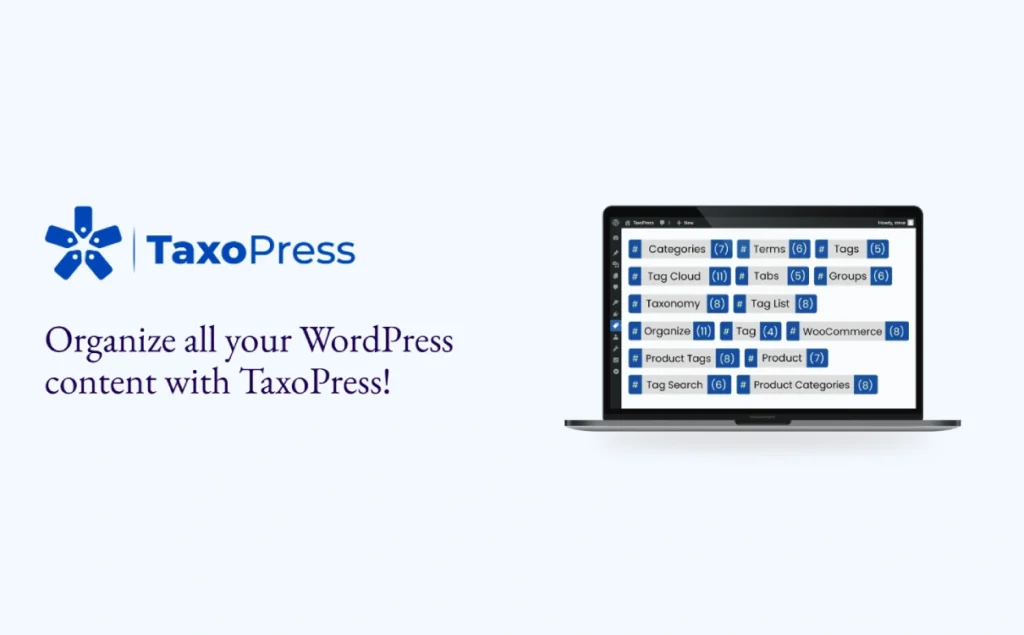
TaxoPress is a “create and manage tags/categories/terms”, “content display”, “SEO optimization assistance” in one WordPress plugin. It allows you to manage the terms of all custom content types, with the flexibility to add, rename, merge or delete useless terms; support for attaching terms to any Post Type (including pages, products, forum themes, etc.).
In addition, TaxoPress provides “Auto Terms” to automatically identify and create relevant tags or categories through content analysis (supporting custom fields, plugin data) (API service required), and also supports “Auto Links ” will automatically link the content keywords to the corresponding term archive page.
The plugin also includes layout modules such as “Terms Display”, “Terms for Current Post”, “Related Posts The plugin also includes layout modules such as ”Terms Display", "Terms for Current Post", "Related Posts", etc., which can be called from shortcodes, Gutenberg blocks or widgets to flexibly display content-related structures and recommended links.
Ideal for content-rich, frequently updated website operators, content editing teams, e-commerce sites or communities, it can effectively help optimize content organization, drive user discovery and improve SEO rankings.
Key Features
- Manage all WordPress terms with custom Taxonomy (add, delete, merge support) ✅
- Flexibility to set up term presentation layouts: tag clouds, lists, indexes, filters, and many other formats ✅
- Auto Terms: Intelligently analyze content, automatically suggest or generate relevant tags/categories ✅
- Auto Links: Automatically link keywords to the corresponding term archive page to enhance the internal link structure ✅
- Related Posts:Show related articles based on term matching to enhance user stickiness ✅
- Support for AI integrations (OpenAI, IBM Watson, Dandelion, etc.) to improve the accuracy of terminology suggestions (Pro version) ✅
- Gutenberg Blocks & Visual Previews: Plug & Play, Intuitive ✅
Target audience and usage scenarios
Applicable Population:
- Content operators, SEO specialists, blog/media site editorial team
- Woocommerce merchant, e-commerce leader, need to tag/categorize products and enhance search and recommendation features
- Communities / Forum administrators (e.g. bbPress) want to improve discussion categorization and discoverability through a tagging system
Usage Scenarios:
- Websites with frequently updated content and a wide range of tag categories want to automate terminology management and reduce manual work
- Want to show related articles recommendations or tag cloud, improve user browsing depth and page dwell time
- Pursuing search engine optimization results and improving rankings through tag correlation and internal link optimization
Comparison of similar topics
Similar products: Pods (Free/Premium), ACF (Advanced Custom Fields), WordPress Creation Kit
| Functions | Current products (TaxoPress) | Pods | ACF / WCK |
|---|---|---|---|
| Manage Labeling and Categorization | ✅ | ✅ | ✅ |
| Intelligent automatic terminology generation (Auto Terms) | ✅ (Pro Support) | ❌ | ❌ |
| Automatic Keyword Links (Auto Links) | ✅ | ❌ | ❌ |
| Related Posts推荐相关文章 | ✅ | ❌ | ❌ |
| Multiple display layouts (clouds, lists, etc.) | ✅ | ❌ Foundation | ❌ |
| AI integration (OpenAI, etc.) | ✅ (Pro) | ❌ | ❌ |
Exclusive function description:
- TaxoPress offers Auto Terms and Auto Links, which automatically identify and generate terms and link keywords to archive pages; Pods and ACF/WCK create categories but lack automated optimization capabilities.
- TaxoPress' Related Posts module displays related posts based on shared terms to enhance content relevance; Pods and ACF/WCK do not have this feature by itself.
User Feedback Highlights
- “This is the best tag recommendation plugin available, very easy to install & use. Highly recommended.” -- supertrooper2
- “I had used ACF for many years and the features were rather too heavy for me. This plugin is easy to use and integrates very well with my theme - can't believe how great the results are.” -- from wordpress.org support user azlivin008
Suggestions for pairing with other plugins/themes
- Page builders (e.g. Elementor / Gutenberg): Use TaxoPress' tag cloud or related post blocks with Elementor to enhance page layout and interactivity.
- WooCommerce Store: Tags/categories can be automatically generated for products and then displayed on product pages or feature pages to improve filtering and SEO results.
- Membership system / Forum plugin (e.g. bbPress): If each topic requires an automatic categorization or tagging system, Auto Terms + Related Posts can be used to increase the chances of users discovering content spontaneously.
Frequently Asked Questions (FAQ)
What Post Type categories and tags does TaxoPress support?
Supports WordPress default posts and pages, also compatible with any custom Post Type (e.g. WooCommerce products, bbPress themes, etc.). Simply check the box in the backend Taxonomy settings to enable it.
What does Auto Terms apply to?
Auto Terms feature allows you to automatically tag (or categorize) existing and new content in bulk, supports custom post types, and avoid excessive tagging by setting the maximum number of tags.
Can I control the number of tags automatically generated per post?
Yes. Setting the maximum terms in the Auto Terms rule, with adjustable word sensitivity, ensures that the 3-5 most relevant terms are generated.
How does the Auto Links feature work?
When a term (e.g. “WordPress”) appears in your content, Auto Links will automatically link that keyword to the appropriate archive page, thus optimizing the in-site linking structure and improving user navigation efficiency.
What are Term Synonyms and Linked Terms used for?
Term Synonyms (Pro version only) allows multiple synonyms or related words to be grouped into a single term, while Linked Terms allows you to add related terms at the same time as the main term, making it easy to batch fit content topics with a single click.
How to solve the term quantity display error, label filtering exception or counting error?
You can access the “First Aid” tool page that comes with the plugin to perform operations: it supports term migration, rebuilding post counts, resetting tag filters, clearing cache, and other maintenance operations, which are safe and reliable.
What should I do if the plugin has a functionality conflict or some of the buttons are not working?
A common cause is a conflict with another plugin or theme script. It is recommended to use Chrome/Firefox browsers to open the Console to view the error message and contact the plugin development team with the reported error, or temporarily disable the conflicting plugin to locate the problem.
How should I adjust TaxoPress features to optimize SEO and content organization?
The following directions are suggested:
- Use Auto Terms and Auto Links to build a clear terminology network and improve onsite navigation and SEO inbound links;
- Use the Terms Display/Related Posts module to display tag clouds, related posts recommendations, and increase user retention;
- Expand keyword matching with Term Synonyms and Linked Terms to avoid missing out on potential traffic.
This combination not only helps to organize the content structure, but also steadily improves page relevance and search engine crawling efficiency.







No Comments