


- Unlimited access to members-only content
- Member discounts on paid items
- More Membership Benefits
Confirm Purchase
Download Version
- Ninja Tables Pro v5.0.20
Introduction to Ninja Tables Pro
Product Overview
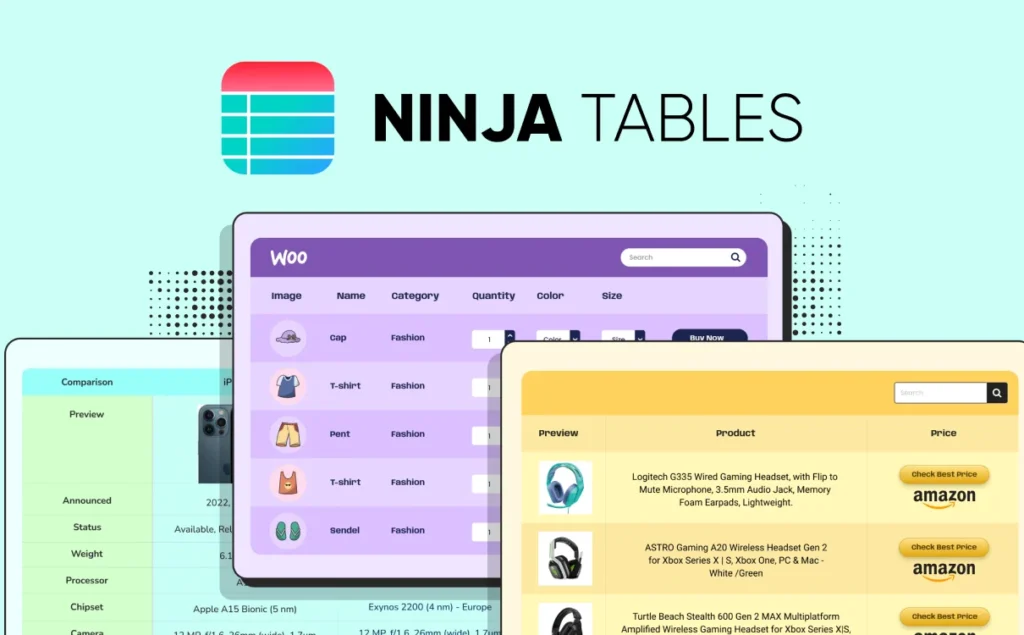
Ninja Tables is a visual table plugin designed for WordPress, users can quickly build data tables by drag and drop or advanced mode without writing code. It not only supports unlimited data import, but also connects to WooCommerce, Google Sheets, Fluent Forms, CSV/JSON, WordPress articles and so on, flexibly adapting to various scenarios. The plugin has built-in search, sorting, filtering, conditional formatting, charting and other functions to improve data presentation. Suitable for e-commerce operations, content creators, data analysts and enterprise station administrators, for displaying products, statistical information or content catalogs, easily solving the problem of data display and readability.
Key Features
- Drag-and-drop table building: Provides basic and advanced modes, two ways to quickly create forms
- Multiple Data Source Connectivity: WooCommerce, Google Sheets, Fluent Forms, WP Posts, external CSV/JSON support.
- conditional format: Rows/columns/cells can be highlighted according to rules to highlight key information
- Front-end editing: Empower users or administrators to modify form content directly on the front end
- multimedia support: Cells are enriched with embedded images, videos, icons, buttons and more!
- Searching, Sorting & Filtering: Suitable for large-scale data, with user-defined filtering criteria
- Form Style Customization: 100+ preset styles supported, CSS customization, responsive adaptation
- Graphical integration: Embedded Ninja Charts for easy data visualization
- Import and export function: CSV/JSON file interaction, painless migration or replication
Target audience and usage scenarios
- E-Commerce Sellers / WooCommerce Stores: Generate product catalogs, price lists, sales statistics, discount pop-ups and more;
- Content Platforms / Contributors: Publish leaderboards, review forms, book lists, resource download catalogs, and more;
- Business or organization website: Display personnel information, project phases, statistical reports, and process follow-up;
- Data Analytics / Operations Team: Connect to Google Sheets or forms to display data dashboards in real time;
- Education / Community Sites: Class schedules, member directory, race results, graphic displays and sorting.
Comparison of similar plugins
| functional requirement | Current Products Ninja Tables | Alternatives to wpDataTables | Alternatives to TablePress |
|---|---|---|---|
| Drag-and-drop table building | ✅ | ✅ | ❌ |
| WooCommerce Integration | ✅ (Pro) | ✅ | ❌ |
| Google Sheets synchronization | ✅ (Pro) | ✅ | ❌ |
| conditional format | ✅ (Pro) | ✅ | ❌ |
| Front-end editing | ✅ (Pro) | ✅ (paid version) | ❌ |
| Chart Support | ✅ (Built-in Ninja Charts) | ✅ | ❌ |
| multimedia support | ✅ (Pro) | ✅ (paid version) | ❌ |
| Big Data Performance Optimization | ⚠️ Medium | ✅ (Excellent) | ⚠️ Basics |
Current Product Exclusive Features: Drag-and-drop table builder, multiple fine-grained data unit types (icons, buttons, ratings, etc.), Ninja Charts built-in chart associations, front-end editing.
Features specific to alternatives: wpDataTables is more efficient when dealing with tens of thousands of large data items; TablePress is suitable for lightweight tables and is completely free.
User Feedback Highlights
- “Very flexible and suitable for presenting data in my client projects.” - G2 user Clara B
- “Responsive forms look great on all devices and importing CSV is very easy.” - mariam a. talks about responsive and import features
- 4.6 stars on WordPress.org, with users generally calling it “easy to use, elegantly designed, and fast to support”.”
Suggestions for pairing with other plugins/themes
- Page Builder: Together with Elementor, Divi Builder, etc., you can embed the table in any layout to improve visual consistency;
- e-commerce plugin: Work seamlessly with WooCommerce to display product details, inventory, buy buttons, and more;
- Forms plugin: Combine with Fluent Forms or Contact Form 7 for direct tabularization of form data;
- Membership System: Work with MemberPress, Ultimate Member, etc. to enable editable content permissions for front-end users;
- Chart Plug-in: Enhance your data visualization with Ninja Charts, or export to other statistical chart plug-ins.
Summarize
Ninja Tables is a full-featured, user-friendly WordPress data table plugin, suitable for various industries to quickly build an interactive form of the website to enhance the user experience and data presentation. Compared with wpDataTables, it is better in terms of interface interaction and multimedia integration; compared with TablePress, more dynamic and visualization capabilities. Its front-end editing and embedding performance, greatly improve the efficiency of data management, recommended for e-commerce, content stations, data display and visualization scenarios.








No Comments