


- Unlimited access to members-only content
- Member discounts on paid items
- More Membership Benefits
Confirm Purchase
Download Version
- Salient v18.2.1
- Salient Child
Salient Core Overview
Product Overview
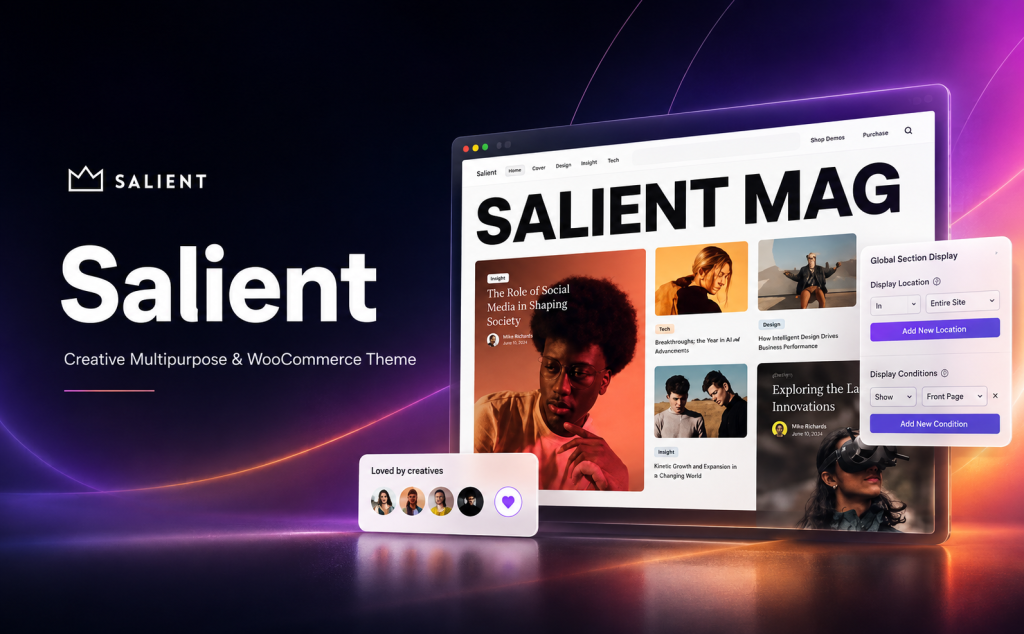
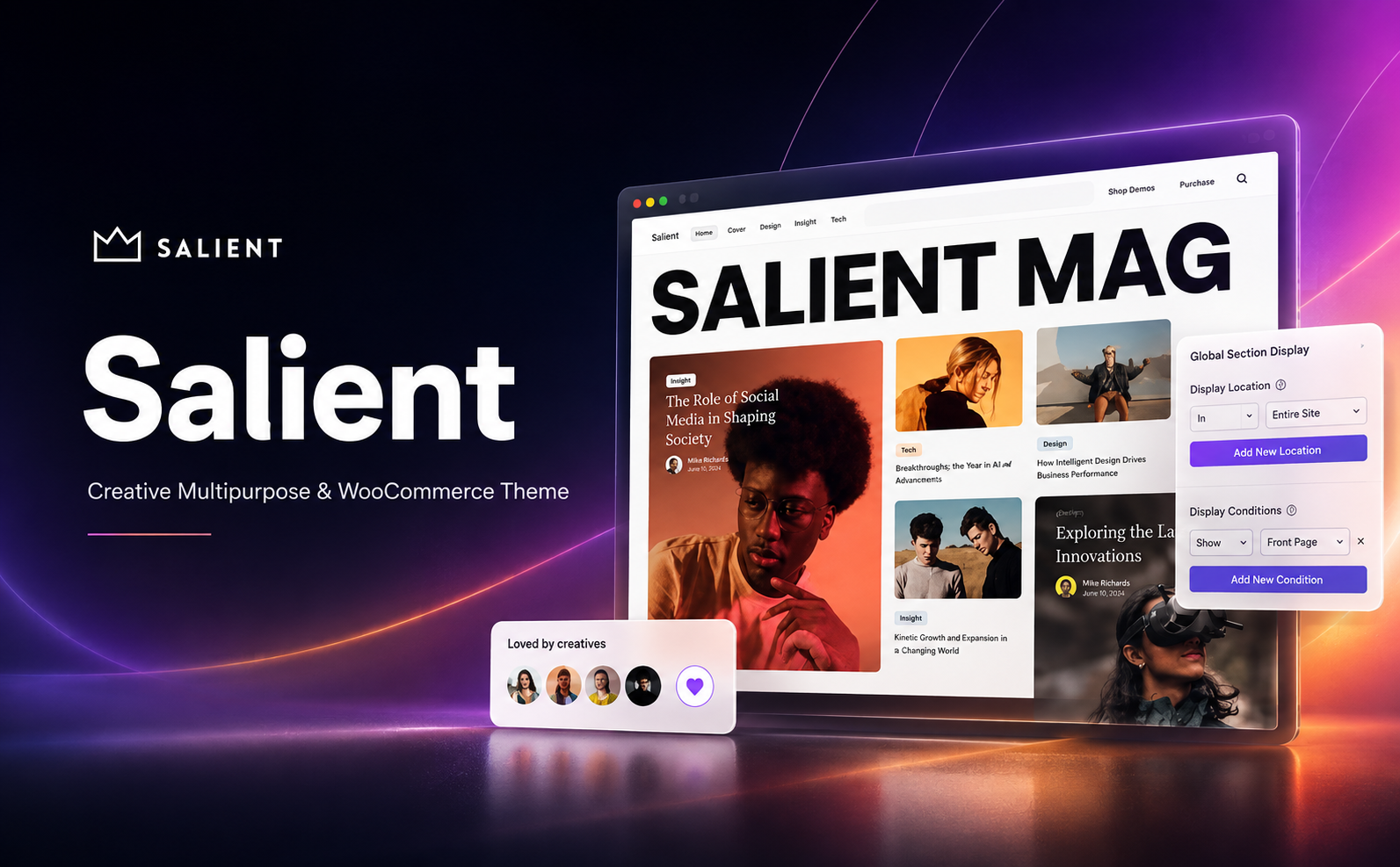
Salient is aVisual design, page presentation, and a high degree of customizabilityA versatile WordPress theme built around Salient. Unlike many traditional themes that rely heavily on third-party page builders, Salient has deeply customized the WPBakery Page Builder based on its own design system, creating the Salient Page Builder, which offers front-end and back-end editing, responsive settings, Global Sections, a template library, and a wealth of exclusive page elements.
For users who want to quickly build a professional website but don’t want to have to implement every visual effect through code or additional plugins, Salient’s main value lies in:There is a high degree of integration between themes, page builders, visual elements, animation effects, and portfolio and online store styles.
Salient Studio offers a constantly updated collection of professional page block templates; according to the official website, there are currently 440+ Templates; Also available 65+ Exclusive Page Elements...covering commonly used website-building modules such as images, videos, carousels, article lists, price tables, team members, reviews, icons, Global Sections, Post Loop Builder, and more.
It excels particularly at creating visually stunning websites. In addition to standard layout capabilities, Salient offers effects such as Cascading Images, Fullscreen Rows, multi-layer parallax, page transitions, Sticky Content, dynamic background colors, Lottie animations, and Content Trail mouse-following, allowing you to create visually striking pages with minimal reliance on additional animation plugins.
In terms of e-commerce, Salient has been specifically optimized for WooCommerce, offering a variety of product gallery and product page styles, an AJAX shopping cart, Quick View, product carousels, advanced filtering, real-time product search, and category grids. As a result, in addition to corporate and portfolio websites, it is also well-suited as a front-end design solution for small and medium-sized brand online stores.
Key Features
- Highly Customizable Salient Page Builder
Deeply customized using WPBakery Page Builder, it supports both front-end and back-end editing and has been integrated with Salient’s own elements and design system, making it ideal for users who prefer not to write a lot of code. - 440+ Salient Studio Page Templates
You can directly insert professionally designed page blocks and modify the text, images, colors, and layout based on the existing designs, significantly reducing the amount of work involved in starting from a blank page. - 65+ Exclusive Design Elements
Includes a wide range of modules such as images, videos, sliders, carousels, post loops, category grids, price tables, team members, testimonials, global sections, and more. - Powerful Responsive Design Controls
Supports independent parameter adjustments for different devices. The new version further introduces Responsive Flexbox, which allows you to control layout direction, alignment, element growth, line breaks, height, and minimum height for different breakpoints. - Global Sections
Save elements such as the area below the navigation bar, CTAs, contact information, and promotional banners as global blocks so they can be reused across multiple pages; making a single modification will update them all simultaneously. - A wealth of modern animations and interactive effects
Supports effects such as page transitions, multi-layer parallax, cascading images, sticky scrolling, dynamic backgrounds, and content trails, making it ideal for brand showcases and creative pages. - Lottie Animation Support
Lightweight vector animations can be used to enhance the visual presentation of web pages, adding dynamic effects to brand websites, product pages, and interactive pages. - Built-in Mega Menu Capabilities
You can create multi-column navigation menus suitable for large corporate websites, content-rich sites, or online stores, without having to install additional plugins just for basic Mega Menu functionality. - AJAX Real-Time Search
When users enter keywords, relevant content is dynamically displayed, which significantly improves the content search experience for websites with a large number of articles or products. - Professional Portfolio System
It offers a variety of project display styles, including Masonry layouts, filters, parallax effects, portfolio sliders, and custom content grids, making it particularly well-suited for designers, photographers, and creative agencies to showcase their work. - A Variety of Ways to Display Your Blog
It supports a variety of blog layouts, including Masonry, Material, Minimal, full-width, and sidebar layouts, and can meet the needs of both corporate websites and content marketing sites. - Deep WooCommerce Integration
It offers a variety of product page gallery layouts, an AJAX shopping cart, product Quick View, a product carousel, a filter sidebar, real-time product search, and a product category grid, among other features. - Fluid Typography
Salient 18 supports smooth font size adjustments based on the viewport, reducing the effort required to set font breakpoints for mobile, tablet, and desktop devices individually. - Local Google Fonts
The new version allows you to host Google Fonts on a local server, offering greater flexibility in terms of region-specific access, privacy compliance, and font loading performance. - Backend Brand Customization Features
Salient Custom Branding allows you to customize the Salient branding, logo, and related visual elements in the WordPress admin panel, making it ideal for web design agencies and developers who need to deliver websites to clients. - Multilingual and Translation Support
The theme itself provides translation files, and ThemeForest currently explicitly states that it is compatible with WPML, making it suitable for building multilingual corporate websites and cross-border websites.
Target audience and usage scenarios
Company website: Salient is well-suited for tech companies, consulting firms, manufacturing companies, service providers, and startups looking to build a brand-conscious official website. Its extensive range of hero sections, content displays, CTAs, team pages, case studies, and dynamic visual components can meet the needs of most corporate websites.
Creative Agencies and Design Firms: This is one of Salient’s strongest use cases. For advertising agencies, brand design firms, UI/UX teams, digital marketing agencies, and web design firms, Salient’s visual animations, portfolio features, Masonry layouts, full-screen layouts, and interactive effects can reduce the need for additional custom development.
Designers, Photographers, and Personal Portfolios: Salient features a comprehensive portfolio system and offers a wide variety of image, gallery, slider, parallax, and project display options, making it ideal for users who need to showcase their visual work.
SaaS and Internet Product Official Websites: You can use Sticky Sections, dynamic backgrounds, Lottie, fluid typography, and complex responsive layouts to design modern SaaS landing pages, app websites, and software product overview pages.
Branding and Marketing Landing Page: For marketing pages that require visual impact and are designed to drive conversions, Salient’s animations, CTAs, pricing tables, testimonials, full-screen pages, and template library can improve page creation efficiency.
WooCommerce Mall: Ideal for online stores in industries such as apparel, lifestyle, design products, home goods, digital products, and boutique brands that place a strong emphasis on visual design. Salient offers WooCommerce Product Quick View, AJAX Cart, Product Carousel, Advanced Filtering, Real-time Product Search, and a variety of product gallery styles, significantly enhancing the front-end shopping experience beyond WooCommerce’s native features.
WordPress Web Development Companies and Freelancers: Salient’s template library, Global Sections, and Custom Branding are particularly valuable for bulk production of client websites, as they help establish a relatively standardized website development workflow while allowing for brand customization of the admin panel delivered to clients.
Salient Compared to Similar WordPress Themes
Common alternatives include Avada, The7, and Betheme. These products are all established multipurpose WordPress themes on ThemeForest, but their page-building systems and areas of focus differ significantly.
| core functionality | Salient | Avada | The7 | Betheme |
|---|---|---|---|---|
| Visual Drag-and-Drop Website Builder | ✅ | ✅ | ✅ | ✅ |
| Front-end visualization editor | ✅ | ✅ | ✅ | ✅ |
| Pre-built Websites / Template Library | ✅ | ✅ | ✅ | ✅ |
| In-Depth Support for WooCommerce | ✅ | ✅ | ✅ | ✅ |
| Standalone WooCommerce Template Builder | ❌ | ✅ | ✅ | ✅ |
| Mega Menu Website Development Capabilities | ✅ | ✅ | ✅ | ✅ |
| Elementor as the Official Primary Website-Building Workflow | ❌ | ❌ | ✅ | ✅ |
| Backend / White-Label Client Brands | ✅ | ✅ | ✅ | ✅ |
| Salient Exclusive Content Trail / Cascading Images / Fullscreen Rows | ✅ | ❌ | ❌ | ❌ |
The above comparison is based on the current official feature descriptions for each product. Avada uses its proprietary Avada Website Builder and offers Layout, Header, Footer, Form, Mega Menu, and WooCommerce Builder; The7 is built primarily around Elementor, WPBakery, and the Block Editor/FSE, and extends the WooCommerce functionality of the Elementor Theme Builder; BeTheme, on the other hand, comprises a comprehensive system of builders, including BeBuilder, WooCommerce Builder, and Header & Mega Menu Builder.
Note: The ❌ in the table simply indicates that the official version does not provide an integrated feature with the same functionality or name; it does not mean that a similar effect cannot be achieved at all using other components or third-party plugins.
Salient vs. Avada
Salient focuses more on visual creativity and high-end design, while Avada focuses more on being a comprehensive, all-in-one website builder.
Avada has developed a comprehensive ecosystem that includes the Header Builder, Footer Builder, Layout Builder, Form Builder, WooCommerce Builder, Mega Menu Builder, and Off-Canvas Builder. Therefore, if users want to build their website structure entirely through a single, unified builder, Avada offers the broadest range of features.
Salient's strengths lie primarily in its elements with a distinctive design language, page animations, portfolio features, visual interactions, and the Salient Studio template system.
Salient vs. The7
Both support the WPBakery workflow, but their current development paths have clearly diverged.
Salient continues to focus on its own deeply customized visual system for WPBakery and ThemeNectar; The7, on the other hand, has prioritized expanding its support for Elementor, while also supporting Gutenberg, the Block Editor, FSE, and WPBakery.
Therefore:
If you prefer Salient’s official design system, creative animations, and WPBakery, Salient is a better fit.
If you're already using Elementor extensively or want to use both Elementor and FSE: The7 offers greater flexibility.
Salient vs. Betheme
BeTheme places greater emphasis on “a single theme covering as many website types as possible” and includes tools such as BeBuilder, WooCommerce Builder, Header & Mega Menu Builder, Loop Builder, Popup Builder, and Custom Post Types Builder.
Salient's strength lies not in the number of Builders, but in its unified design language, creative elements, interactive effects, and ability to showcase work.
As a result, Salient tends to be better suited for brand websites, creative agencies, and visual portfolios, while users looking for a wide variety of pre-built website templates and a more comprehensive set of Builder tools may also want to consider Betheme.
User Feedback Highlights
Salient has accumulated a large number of user reviews on ThemeForest over the years. The current product page shows an overall rating of approximately 4.81/5, with approximately 6.9K reviews, The most common positive feedback in recent reviews has focused primarily on the following areas.
Recognition for Design Quality: Many users cite Salient’s design quality as their primary reason for choosing it, particularly praising its demos, templates, and overall visual style.
Highly customizable: User feedback often mentions that Salient allows users to further customize existing templates to create websites with distinct brand identities, rather than simply producing pages that closely resemble the demos.
Long-term maintenance and technical support have received positive reviews.: Some long-term users specifically mentioned the ongoing maintenance of the product and the quality of support provided by the development team, which is particularly important for users who have been using the theme for many years and continue to maintain commercial websites.
At the same time, it’s important to take an objective view: Salient has a large number of features and settings, which can present a learning curve for users new to its page-building system; some ThemeForest users have also mentioned this in their feedback.
Suggestions for pairing with other plugins/themes
WooCommerce Rating: ★★★★★
If you need to build an online store, WooCommerce is one of the most essential plugins to use with Salient.
Salient offers front-end enhancements for WooCommerce, including product detail layouts, an AJAX cart, Quick View, a product carousel, advanced filtering, and real-time product search, so the two are well-suited for use together.
Suitable for:
Brand Store
Clothing Mall
Home Furnishings Mall
Digital Products Store
Design Product Store
Digital Product Display and Sales
WPML Rating: ★★★★★
Ideal for websites that need to build multilingual corporate websites, foreign trade websites, and cross-border e-commerce platforms.
ThemeForest currently explicitly lists WPML as a compatible plugin for Salient, and Salient itself provides translation files and support for multilingual functionality.
Suitable for:
Official Websites of Foreign Trade Companies
Global Brand Websites
Multilingual WooCommerce Store
Global SaaS Website
Yoast SEO / Rank Math Rating: ★★★★★
Salient handles page design and theme structure, while the SEO plugin handles search optimization tasks such as SEO titles, meta descriptions, Schema, and XML sitemaps.
Support for has been specifically added to Salient's historical update log. Yoast SEO and Rank Math Sitemap Image HandlingWith this support, both of these plugins are well-suited as SEO management solutions for Salient websites.
We recommend choosing one of the two options based on your website's specific circumstances; there is no need to install both.
Contact Form 7 Rating: ★★★★☆
If your website requires forms for inquiries, contact information, quote requests, or simple messages, you can use Contact Form 7.
Salient's release notes continue to include compatibility updates for Contact Form 7, making it suitable for basic form scenarios on corporate and marketing websites.
Salient WPBakery Page Builder Rating: ★★★★★
This is the most recommended way to edit pages when using Salient.
Salient doesn't simply treat WPBakery as a bundled page builder; instead, it has been extensively customized for the theme itself, including custom elements, Salient Studio, Global Sections, and responsive controls.
Therefore, if you have already chosen Salient, we recommend prioritizing its official page-building system rather than introducing another large-scale page builder.
Summarize
Salient’s core strength isn’t that it offers “the most features,” but rather that it combines proven, versatile WordPress website-building capabilities with high-quality visual design, interactive animations, and portfolio showcase features.
It can be used to build standard corporate websites, blogs, and WooCommerce stores, and is particularly well-suited for creative agencies, brand websites, designer portfolios, photography websites, SaaS product websites, and marketing pages that prioritize the visual experience.
If your main concern is Elementor Workflow or Complete WooCommerce Template Builder, The7, Avada, or Betheme may offer a more straightforward toolset; however, if you place greater emphasis onThe overall design quality, animation, portfolio presentation, and Salient’s highly cohesive visual identity...Salient remains a highly recognizable, mature, and versatile WordPress theme.
Frequently Asked Questions (FAQ)
Q1: What kind of theme is Salient? What types of websites is it suitable for?
Salient is a creative, multipurpose WordPress theme; its current official name is Salient | Creative Multipurpose & WooCommerce Theme. It emphasizes high-quality visual design, visual page builder, animated interactions, portfolio展示, and WooCommerce e-commerce capabilities. It can be used for a wide variety of websites, including corporate websites, creative agencies, designer portfolios, photography sites, SaaS product websites, landing pages, blogs, and brand online stores.
Q2: Do you need to know how to program to use Salient?
Usually not. Salient is officially positioned to allow users to create professional websites without writing code, and it offers a highly customizable visual page builder, over 440 page block templates, and over 65 exclusive design elements. For standard page layouts, fonts, colors, animations, images, buttons, menus, and responsive design, most tasks can be completed through the backend interface.
If you need to modify the theme’s core logic, develop special features, or perform advanced CSS or PHP customization, you may still need some knowledge of WordPress development.
Q3: Does Salient use Elementor or WPBakery?
The official Salient core page-building system is Salient WPBakery Page Builder...It is not simply a standard version of WPBakery bundled with Salient, but rather a version deeply customized by ThemeNectar specifically for Salient. It includes features such as Salient-exclusive elements, interfaces, responsive settings, Global Sections, and Salient Studio, and supports both front-end and back-end editing.
Therefore, if you want to take full advantage of Salient’s design elements, templates, and official workflows, we recommend using the built-in Salient WPBakery Page Builder rather than switching to a different page builder.
Q4: Does Salient support the Gutenberg editor?
Support. ThemeForest currently lists Salient as Gutenberg Optimized. However, the primary design workflow for Salient’s own complex pages and the official demos still revolves around the Salient WPBakery Page Builder; therefore, Gutenberg is better suited for editing posts or some basic content, while for complex pages, we recommend continuing to use the official Salient builder.
Q5: Can Salient import the official demo with a single click?
Yes. Salient provides a dedicated Demo Importer that allows you to select official demos from the Salient admin panel and import them as needed. Demo Content, Theme Option Settings, and Widgets. Before importing, you'll also be prompted about the plugins required for the corresponding demo.
Please note that if you already have website content, importing the Theme Option Settings may overwrite your current theme settings; therefore, we recommend creating a full backup before performing any operations on your live site. Additionally, according to the official documentation, the sample images used in some older demo versions are for demonstration purposes only and are not included in the theme files.
Q6: Does Salient support WooCommerce? Can I use it to build an online store?
Yes. Salient offers fairly comprehensive theme-level support for WooCommerce, including a variety of product styles and product detail layouts, an AJAX shopping cart, product image zoom, and the ability to use a page builder on product pages. ThemeForest currently explicitly lists compatibility with WooCommerce 8.x, 9.x, and 10.x.
As a result, Salient is not only suitable for corporate websites and portfolios, but also for fashion, design, home goods, electronics, and lifestyle brands, as well as other WooCommerce stores that prioritize visual appeal.
Q7: Does Salient support Chinese and multilingual websites?
Support. Salient itself provides themes and related plugins. .pot Translation template: You can translate theme strings using tools such as Loco Translate; the official documentation also recommends WPML for building fully multilingual websites. ThemeForest currently explicitly lists WPML as a compatible plugin.
Therefore, Salient can be used to build Chinese websites, as well as Chinese-English, multilingual corporate websites, or cross-border WooCommerce stores.
Q8: How fast is the Salient website? Does it run slowly because of all the animations?
Salient itself offers specialized performance optimization options, including Delay JavaScript Execution, Local Loading of Google Fonts, Optimization of Above-the-Fold Images, and Lazy Loading of Images in the Page Builder ...and other features. The official documentation also provides specific configuration recommendations for caching plugins such as WP Rocket.
However, the final loading speed still depends on server performance, page structure, image file sizes, the number of installed plugins, third-party scripts, and the actual animation effects used. For websites prioritizing performance, it is not recommended to overload a single page with complex animations, video backgrounds, and a large number of high-resolution images.
Q9: Does Salient include ready-made website templates?
Included. In addition to the full demo, Salient also offers Salient Studio Template Library, which the official sources currently claim has over 440 Professional Page Block Templates...You can insert it directly into the page and then edit the text, images, colors, and layout.
This approach offers greater flexibility than directly importing the entire demo and is particularly well-suited for websites already under development: you can select only the sections you need—such as the hero section, service descriptions, CTAs, team page, and pricing table—without having to completely replace the existing website structure.
Q10: What other plugins do I need to install after installing Salient?
According to the current official installation documentation, the core components required after installing Salient include Salient WPBakery Page Builder and Salient Core. Other components, such as Salient Portfolio, Social, Widgets, and Nectar Slider, can be installed as needed based on the website's specific requirements.
If you're building an online store, you can also install WooCommerce; for multilingual websites, you can use WPML; and for features such as SEO, caching, and forms, you can select the appropriate plugins based on your specific needs.
Q11: Can Salient be used to create portfolios and designer websites?
It's a perfect fit. Salient itself offers a complete portfolio system, including a variety of project styles, Masonry layouts, parallax effects, portfolio sliders, custom content grids, category filters, and infinite scrolling, among other display options.
Therefore, for designers, photographers, architectural firms, advertising agencies, digital creative agencies, and companies that need to showcase a large number of case studies, portfolios are one of Salient’s most prominent use cases.
Q12: Does Salient support responsive design and mobile optimization?
Yes. ThemeForest lists Salient as a responsive theme, and its page builder allows you to set different parameters based on screen size. The latest official page builder system supports responsive layout control, enabling you to optimize the display for desktop, tablet, and mobile devices separately.
However, just because a theme is responsive doesn’t mean complex pages don’t require any manual adjustments at all. For large headings, special animations, multi-column layouts, and complex hero sections, it’s still recommended to check how the page looks on mobile, tablet, and desktop devices individually after completing the page.
Q13: Do I need to use a child theme when modifying the Salient theme code?
If you’re only customizing your website using theme options and the page builder, you generally don’t need to modify the theme’s core files; however, if you plan to modify PHP or template files, or add custom code that requires long-term maintenance, we recommend using the child theme provided by Salient. The official installation package includes a ready-to-install salient-child-theme.zip.
This prevents your files from being overwritten by a new version of Salient when you update it, after you’ve directly modified the parent theme’s files. Please note that if you’ve overridden PHP, JS, or template files in your child theme, you’ll still need to check whether those overridden files are compatible with the new version after the parent theme is updated.
Q14: Can Salient be used for blogs and content websites?
Yes. Salient offers a variety of blog list styles, including several Masonry layouts, image lists, Minimal List, and Classic List, as well as different single-post header layouts and features such as infinite scrolling.
If your website requires both a company profile and ongoing content marketing, SEO article publishing, or news updates, Salient can handle both your official website pages and blog content.
Q15: Is Salient suitable for beginners?
Salient significantly reduces the difficulty of designing a website from scratch through its visual editor, Demo Importer, and Salient Studio, making it accessible even to users with no development experience. The platform currently offers over 440 template blocks and over 65 exclusive elements, and allows editing via both front-end and back-end page builders.
However, Salient itself is a feature-rich, multipurpose theme with a wide range of theme options, page builder elements, and advanced animation settings. If you’re new to WordPress, it will still take some time to get used to its page-building logic.
Q16: Is Salient still being updated?
Yes. The latest version of Salient currently displayed is 18.2.1, Published on June 1, 2026, and marked as "Recently Updated." It has been over 13 years since Salient was first released, and it continues to be actively maintained with new features and compatibility updates.
For users who need to operate corporate websites, online stores, or client websites over the long term, ongoing updates ensure that the theme remains compatible with new versions of WordPress, WooCommerce, and modern web design requirements.




No Comments