


- Unlimited access to members-only content
- Member discounts on paid items
- More Membership Benefits
Confirm Purchase
Download Version
- Avada v7.15.1
- Avada Core v5.15.1
- fusion-white-label-branding
- Avada Builder v3.15.1
- Avada-Child-Theme
Avada Core Introduction
Product Overview
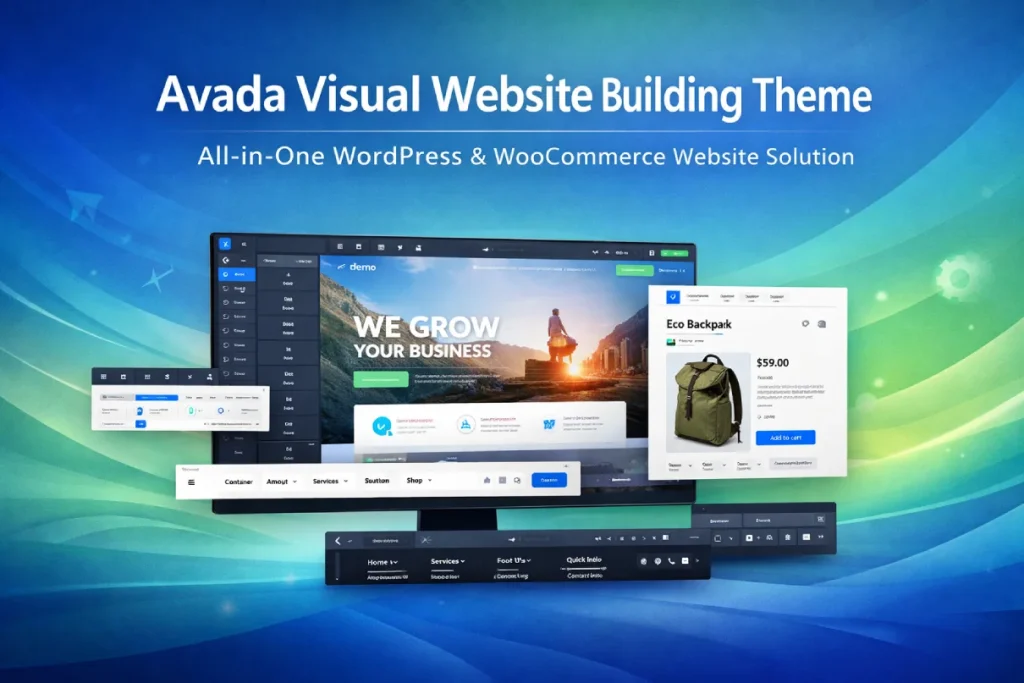
Avada is a comprehensive site building theme for WordPress that combines page editing, layout templates, header and footer design, dynamic content calling, form building, and WooCommerce store page design into one workflow. For users, this means you can do most of your site building work in a single unified visual interface without having to spread a lot of functionality across multiple themes and plugins.
Its core strength is not just drag-and-drop, but site-wide visual control. Avada supports building custom pages, article layouts, headers and footers, as well as WooCommerce product pages, store pages, shopping carts and checkout pages, making it ideal for sites that need a unified brand vision and marketing landing power. Avada supports building custom pages, article layouts, headers, footers, as well as WooCommerce product pages, store pages, shopping carts, and checkout pages, which makes it ideal for sites that need a unified brand vision, refined page structure, and the ability to market on the ground.
For enterprise official websites, service display sites, content-based sites and small and medium-sized e-commerce, Avada can solve several typical problems: first, to reduce the complexity of the “theme + multiple page builders + multiple layout plug-ins”; secondly, to improve the consistency of the front-end and maintenance efficiency; thirdly, to allow non-developers can also be completed with a high degree of freedom in the page and template customization. Officials have also positioned it as a tool for beginners, marketers and professional site builders.
Key Features
Built-in Live Visual Builder visual editor: Real-time editing of pages in the frontend, WYSIWYG, lower design and modification thresholds.
Ability to build the entire site layout: Custom layouts and templates can be created for pages, articles and different content types.
Header Builder / Footer Builder: Individually designable header and footer, suitable for branded navigation and marketing bottom area.
WooCommerce Builder: Customizable product page, store page, shopping cart, checkout page and archive page, suitable for differentiated mall interface.
Dynamic Content Support: Dynamic data can be used in pages and layouts to improve template reuse efficiency.
Prebuilt Sites & Quick Import: A large number of importable website templates are officially available to facilitate shorter uptime.
responsive design: Officials emphasize its fully responsive support for mobile, tablet and desktop.
Performance-oriented designAvada's ability to control performance is explicitly emphasized by officials, allowing users to make more granular site optimization decisions.
Built-in form building capabilities: Suitable for scenarios such as contact forms, inquiry collection, and marketing lead collection.
Mature documentation and support system: Having a help center, tutorials and continuous updates makes it more friendly for long-term maintenance.
Target audience and usage scenarios
Good for the crowd:
- Webmasters or teams who want to do most of their website building work with one set of themes
- Users who need a high-freedom page design but don't want to write code in depth
- Designers or studios that build corporate sites, marketing sites, and showcase sites for their clients
- Merchants who also need official website display and WooCommerce store functionality
Applicable Scenarios:
- Enterprise official website, brand official website
- Service introduction page, marketing landing page
- Blogs, content sites, media section pages
- Portfolio, Institutional Display Station
- WooCommerce Store, Product Showcase & Selling Site
If you're looking to strike a balance between “design freedom” and “unified site management”, Avada is a better choice than many solutions that specialize in single-page editing but lack site-wide template control. On the other hand, if your goal is to be extremely lightweight and rely heavily on a third-party page builder ecosystem, you may want to consider a product that is more along the lines of a starter theme. The difference will be more obvious in a like-for-like comparison.
Comparison of similar plugins
Common alternatives can be found Divi, Flatsome, AstraThey're all common, but with different focuses: Divi favors whole site visualization, Flatsome favors WooCommerce store experience, and Astra favors lightweight and ecocompatibility. They're all common, but with different emphases: Divi is more of a whole-site visualization, Flatsome is more of a WooCommerce store experience, and Astra is more lightweight and eco-compatible.
| Core functional items | Avada | Divi | Flatsome | Astra |
|---|---|---|---|---|
| Built-in visual page editor | ✅ | ✅ | ✅ | ✅ |
| Built-in template / Theme Builder | ✅ | ✅ | ❌ | ✅ |
| Header / Footer Builder | ✅ | ✅ | ✅ | ✅ |
| Deep customization of WooCommerce pages | ✅ | ✅ | ✅ | ✅ |
| Customizable shopping cart / checkout page | ✅ | ✅ | ❌ | ❌ |
| Dynamic Content / Conditional Layout | ✅ | ✅ | ❌ | ✅ |
| Pre-built website / Template import | ✅ | ✅ | ✅ | ✅ |
| Para-e-commerce scenario optimization | ✅ | ✅ | ✅ | ✅ |
| Preferred “integrated site building program” | ✅ | ✅ | ❌ | ❌ |
| More of a “lightweight starter theme”.” | ❌ | ❌ | ❌ | ✅ |
The above table is organized according to the official pages and documents of each product: Avada emphasizes Live Builder, Layout Builder, Header/Footer Builder and WooCommerce Builder; Divi emphasizes Visual Builder, Theme Builder and WooCommerce modules; Flatsome emphasizes UX Builder, Header Designer and WooCommerce scenarios; Astra emphasizes Site Builder, Header/Footer Builder, Starter Templates and WooCommerce compatibility.
Additional Notes:
- Avada highlights: The ability to build the entire site is more centralized, with pages, layouts, headers and footers, forms, and WooCommerce pages all done in one system for users who want less of a put-together feel.
- Divi's highlights: The visual design ecosystem is mature, and WooCommerce is rich in modules and well suited for redesign projects.
- Flatsome highlights: It's more strongly oriented towards the WooCommerce store and product showcase, and is a typical “selling theme”.
- Astra Highlights: More on the lightweight, templated and compatible with multiple page builders, suitable for projects that emphasize performance and ecological scaling.
User Feedback Highlights
Extremely powerful customization capabilities: “The theme options are incredible. You can control every tiny detail of the site without writing even a single line of CSS or PHP code, which has been a huge boon to our design team.”
Reliable stability and compatibility: “I have been using Avada for years. With WordPress updates, it has been very stable to maintain, with almost no fatal conflicts that would crash the site, and is the most comfortable choice to deliver to clients.”
Business growth fueled by e-commerce capabilities: “The WooCommerce builder was a game changer. I was able to completely redesign the product detail pages based on the product features, which made my store look much more advanced than my competitors, and conversions improved significantly.”
As of March 2026, the ThemeForest product page shows that Avada has more than 1.05 million salesapproximate 4.78/5 The scoring of and 26,500 The number of reviews is at a high level, which also indicates that it is a long-proven and mature product in the WordPress paid themes market.
Suggestions for pairing with other plugins/themes
Recommended with WooCommerce:
Avada official integration of WooCommerce is very deep, especially suitable for projects that need to customize the product page, store page, comment section, rating display, shopping cart and checkout process. WooCommerce is basically the preferred combination when doing a mall.
Recommended with SEO plugin:
If your site needs better SEO headings, descriptions, structuring and site optimization, it can often be used in conjunction with a mainstream SEO plugin; Avada itself is stronger on design and layout, and is not focused on SEO-specific functionality. This combination is especially good for enterprise sites, blogs and content sites. This judgment is based on the fact that Avada's official focus is mainly on site building and design.
Recommended with membership/inquiry/form scenarios:
Avada comes with form building capabilities for basic inquiry, contact and lead collection; if the project involves a more complex membership system, subscription content or community features, it's usually better to pair it with a specialized membership/community plugin.
Not a very recommended pairing idea:
Since Avada already comes with a more complete visual website builder system, it is usually not recommended to overlay another set of large page builders as the main editing core, otherwise it is likely to cause confusion in the editing workflow, decentralization of style control, and increased maintenance complexity. This is a practical recommendation based on its official “all-in-one website builder” positioning.
Frequently Asked Questions (FAQ)
Q1: Is Avada a theme, or a page builder?
Avada is essentially an all-in-one WordPress site builder. It offers site-wide control at the theme level, as well as built-in visualization tools for designing pages, posts, layouts, headers, footers, and multiple site areas. Officially, it is also currently positioned as a Website Builder, not just a “multipurpose theme” in the traditional sense.
Q2: What types of websites is Avada suitable for?
Avada is suitable for enterprise official websites, brand display websites, service websites, blogs, portfolio websites, and WooCommerce-based e-commerce websites. Its advantage is that it can complete the whole website design and page construction with the same system, which is suitable for projects that want to balance design freedom and uniformity.
Q3: Do I need to write code to use Avada?
Avada's Live Visual Builder supports drag-and-drop and visual editing, so you can view changes in real time directly on the frontend. The official documentation also clearly emphasizes that users can design pages and layouts without writing code.
Q4: Can Avada customize the header, footer and whole site template?
Avada comes with a built-in Header Builder, Footer Builder, and Layout Builder that allow you to create customized headers, footers, and layout templates for different content types for your website. This is very useful for websites that need to unify their brand vision and enhance the professional look of the whole site.
Q5:Does Avada support WooCommerce?
Supported and highly integrated, Avada offers a dedicated WooCommerce Builder for customizing product pages, store pages, cart pages, checkout pages, and product archive pages for those who want to create a differentiated mall interface.
Q6: Can Avada's pre-made websites be modified directly?
Can. Official Description Avada's pre-built websites all support full customization, and you're free to replace images, text, layout, colors, and layouts once imported. This is valuable for sites that you want to go live quickly and then fine-tune gradually.
Q7: Is Avada suitable for beginners?
Avada's official website clearly categorizes its target audience as Beginners, Marketers and Professionals, indicating that it is suitable for beginners as well as marketers and professional website builders. For beginners, the pre-made websites, visual editing and better help documentation can significantly lower the threshold of getting started.
Q8: Is Avada suitable for long-term maintenance and continuous expansion of the site?
Avada officially emphasizes that it is an All-In-One Website Builder with continuous updates, an official help center, video tutorials and a support system. This complete ecosystem is more convenient for websites that want to continue to expand their pages, sections, or mall features.
Q9: Does Avada rely too much on multiple third-party tools?
Avada's official website explicitly mentions that many of its core site-building capabilities are built in-house as an integrated system, and that it does not rely on a large number of third-party tools to complete the main site-building process. This means that in terms of page construction, layout control and site design, it favors a “unified workflow”, which helps to reduce the complexity of excessive assembly in the background.
Q10:Does Avada support responsive design?
Support. Official Description Avada is 100% responsive and adaptable to mobile, tablet and desktop devices. This is one of its fundamental advantages for websites that need to balance the mobile browsing experience and conversion results.
Q11: Does Avada come with reusable design elements and content modules?
Yes. The Avada website lists 120+ design elements, 112 pre-made websites, and 600+ Avada Studio pre-made content items. These resources help users build pages more efficiently without having to design every module from scratch.
Q12:Is Avada well-documented when I encounter problems?
Yes. Avada officially offers a help center, video tutorials, and a support system, and the official website also mentions that it has a large number of help documentation and tutorial resources. This is important for users who need to learn by doing, or for those who want to maintain a website for a long period of time.





No Comments